Attributing knowledge: navigating copyright on the internet

Copyright on the web

Copyright: what is it, and why is it necessary?

Image of hundreds of app icons.
Image by geralt, free for use under the Pixabay Content License: Pixabay

Copyright can be defined as “the legal protection that grants the creator of an original work exclusive rights to its use and distribution”. This means that when someone creates material, they automatically own the rights to it just by virtue of its creation; however, in order to take legal action over unauthorized use of the content, the work must be filed with the US Copyright Office. Copyright is important because it not only protects someone’s work from being stolen and inaccurately portrayed as someone else’s, but also prevents others from using the work in ways that the creator did not consent to and does not agree with.

The use of copyright on my site

For all of the content I create on my website, I chose to use the Creative Commons license CC BY-NC 4.0, which means that others using my work must give credit to me, as the creator, and that my work can only be used non-commercially. I chose to use this license because I felt that it was important to receive credit for my ideas, and that the use of my ideas for commercial gain was unfair.

Ethical collaboration: the sharing of ideas

Image of three desktop computers, emitting lines of information.
Image by geralt, free for use under the Pixabay Content License: Pixabay

Why is attribution important?

Properly attributing others’ work and respecting their wishes in regards to its use and distribution is important to take into consideration when using the internet, for multiple reasons. The first of these is avoiding the legal action that could come with improper use of someone else’s work. However, it is also important to take into account the creator’s intentions when using their work, as it is their intellectual property. By creating something, they automatically have ownership over that content, and therefore have a say in how or why it is used.

How to properly attribute content

If the creator supplies the method by which they would like to be attributed, then the obvious solution is to follow their guidelines. However, if they do not, there are other ways of crediting work. The first of which is naming the creator and supplying a link to their website or other internet presence. If the creator is unknown, then simply state that and provide a link to where the content was found. In addition, if the material used another original work, include both sources to properly credit both creators.

Digital Image Creation

My Images

My “favicon” is a “K” in pink with the name “Katie Royle underneath. The color pink represents how I go about life. Not only is my room covered in this color, but it represents a sense of vibrance that I try to display throughout my days. For my Site Image, I decided to stick to the theme and use a pink “K.” When people click on my link, I want them to feel happy from the colors, while understanding what they are clicking on with the letter “K.”

My Process

I decided to use Logo Maker to create these icons. These files are JPEGs as I felt it was a common file type that viewers will be able to see clearly.

The ,"Favicon," that has the name, "Katie Royle," in pink with a large "K."

Image found on Design

The site header that is a large "K."

Image found on Design

    Digital Image Creation

    Favicon

    My Image & Why

    Red circle containing yellow and blue shapes. Has the letter 'A' in the top left.
    Favicon Alexa Kincaid (CC BY-N.D 4.0)

    I wanted my favicon to be simple, yet funky. I also felt that it stylistically matched my site theme. I’ve always had a love for abstract art and I feel that this unique favicon exemplifies my personality and creativity. I included the ‘A’ as a nod to my site name (amkincaid.net).

    Header

    My Image & Why

    Abstract image containing red, yellow, and blue circles, lines and squares. Contains the words "My Blog," "DGST 101," and "Alexa Kincaid."
    Header Alexa Kincaid (CC BY-ND 4.0)

    Once again, I wanted my header to be creative and reflect the site’s theme. I expanded upon the simple shapes I used in my favicon image, in order to ensure continuity throughout my creation process. I included ‘My Blog’ to serve as my site name, as well as including my name and the class that this blog is primarily used for.

    Creation

    Process and Software Used

    I used Vectr to create this image. I went through a trial and error process of learning to use the website and what each of the tools did, but soon found my groove and really just went to town on my image. I first sketched a rough idea of what I envisioned and then let me creative side shine through in the digital reproduction of this image. I was sure to use high contrast wording, for example on my header, I used black text on a white background. This high contrast wording is crucial to obtaining attention and making it more accessible for those visual processing abnormalities.

    File Type Chosen & Why

    I downloaded my favicon file (512×512 pixel) and my header file (1920×1080 pixel) as JPEG images. JPEG images are typically raster graphics, meaning that each pixel on the image has a specific color that altogether create an image. This is not necessarily the best option, as the image can appear blurry once stretched out, but it is common for website building platforms to require these file types. I ultimately chose the JPEG for an admittedly silly reason: it was the default file type when downloading my creation off of Vectr. That being said, I ensured that I had the right pixel size before download to ensure my image would have the best quality possible when applying it to my site.

    Creating digital images

    My images

    Icon

    Purple bow with yellow underneath, used white lettering to fill in "Kenley's Blog"
    Created by Vectr with design by Kenley, 2024.

    I choose my first imagine to be a purple ribbon for my website. I used the website Vectr. I adored the purple color when I was looking at different colors. I liked the yellow underneath with a little white on the middle to state “Kenley’s Blog”. I thought about editing the name to fit better and be more visible like 2 initials instead of words. However, I like the tiny bit of white as an offset from the purple and yellow.

    Header

    Charlotte (my cat) over a brick background with Kenley's Blog overtop.
    Created using Photopea and vector with design by Kenley, 2024

    My header imagine is my actual cat. I used Photopea for the background of the brick and putting the photo on it. I created a blur on it after removing a whole bunch of white space around charlotte. Then, I used vectr again to create the writing on it. I am not a creative person therefore I wanted to use as many resources as I could. I choose to use a picture of my own cat Charlotte because I didn’t want to use a cat from one of the sites. I also choose the purple to blend with the dark blue/purple theme to not create an eyesore. Once I picked the image, I used PicResize to shrink it to properly fit without any blurriness that wasn’t intentional.

    Image types

    For my Icon, I used a JPEG file. I choose this type because it was what was the choice when I went to properly download the image. For the cat image in the header, it is JPG file. I also choose this because it was the option given. I prefer the JPG file over JPEG because I feel as though the image is stronger and clearer.

    Process of creating

    For my first image of Kenley’s Blog, I wanted something basic. Due to it being small for the website icon, I didn’t want it to be very detailed and layered. I added the ribbon and then wrote overtop of it with white lettering. For the cat image I used an already created a brick background and then added Charlotte overtop of it. After this, I took a long time trying to see how much I should cut out. I ended up choosing Char to be larger then the background of the brick. I choose black lettering because I wanted to offset the purple.

    Copyright and Attribution

    Reflecting on Copyright and Attribution

    Why I chose CC BY-NC 4.0

    I choose the creative commons attribution-noncommercial 4.0 international license because it requires others to give credit but allows others to still add onto it or remix it as long as it is for noncommercial purposes.

    Using the Work of Others Ethically

    It’s important when using others work to make sure you give them credit and make sure to do your research before posting on the web. The way you give credit to someones work may vary depending on what creative commons license they choose. For example, A CCO license does not require others to credit you when they use your work. This is the least restrictive license you can have. A CC BY-NC-ND license allows users to view and share the work as long as they credit it; however, you are not allowed to modify their work or use it commercially. These polar opposite creative commons license, but there are several other types you can have. It’s important to make sure you give proper credit to other peoples work when using it in your own work.

    There is also something known as fair use which allows people to use copyrighted work to create something else. For example, fair use can be used to critic an article, or to teach others about a topic. since fair use is a exception to copyright rules it can be difficult to define a limit to what is considered fair use and what is not.

    Trees from top of mountain with fog and cloudy sky.
    Creator RuslanSikunov. Picture found on pixabay.
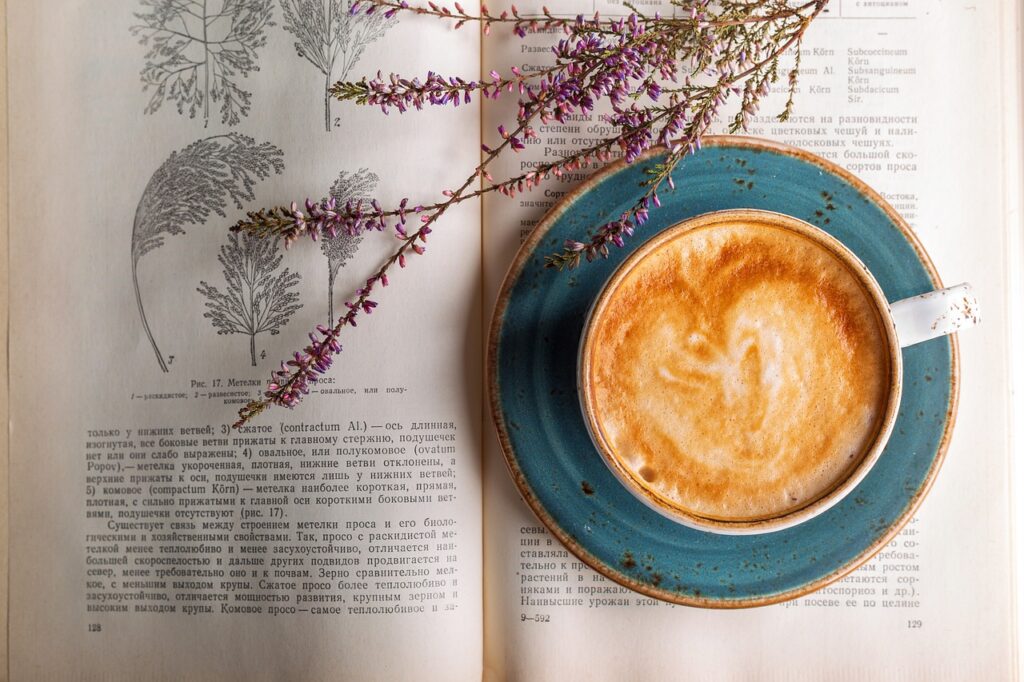
    Coffee cup on top of a book with lavender.
    Creator Daria-Yakovleva. Picture found on pixabay.

    Copyright and Attribution

    License

    I chose CC BY because I want others to be able to use my work and build off of it as long as they give credit to me. If I were to post educational content online, I would want everyone to be able to use it however they need. Copyright is very important because you need to give credit to whoever creates the content, and without copyright laws it would be very easy to steal others work and claim it as your own.

    Ethics

    There is nothing wrong with using the work of others as long as you do it ethically. It is very important to cite their work and give them credit. Make sure the creator is okay with their work being used and don’t take credit for creating it yourself.

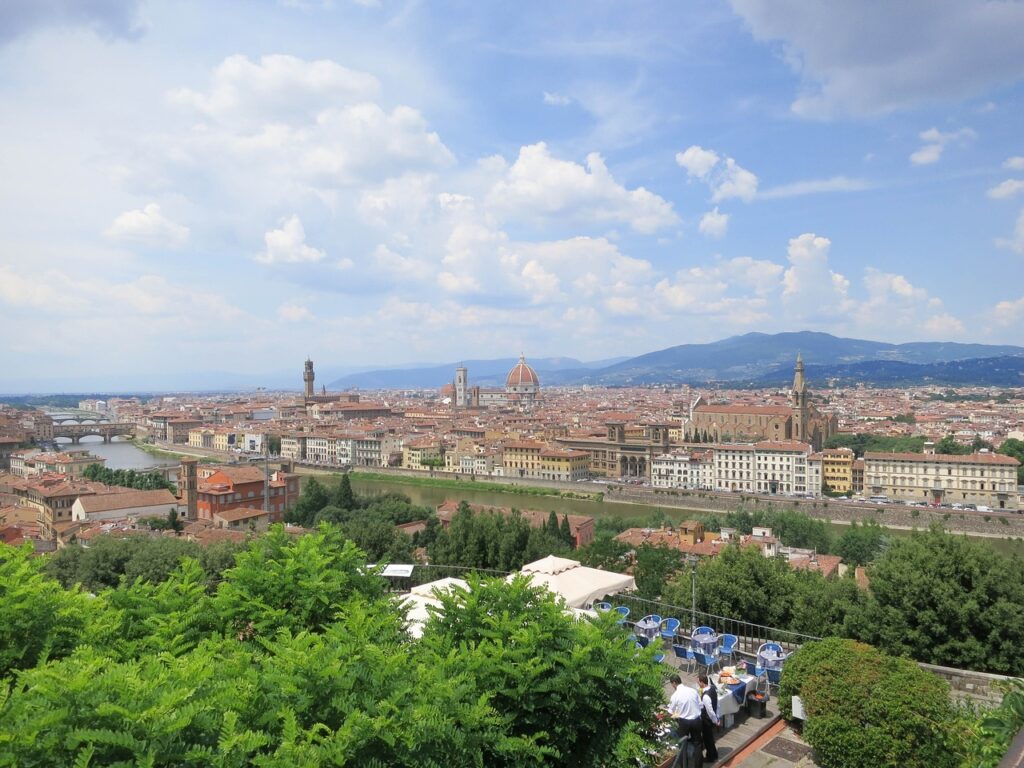
    A picture of the view at Piazzale Michelangelo in Florence, Italy.
    Creator unknown. Image found on Pixabay.com
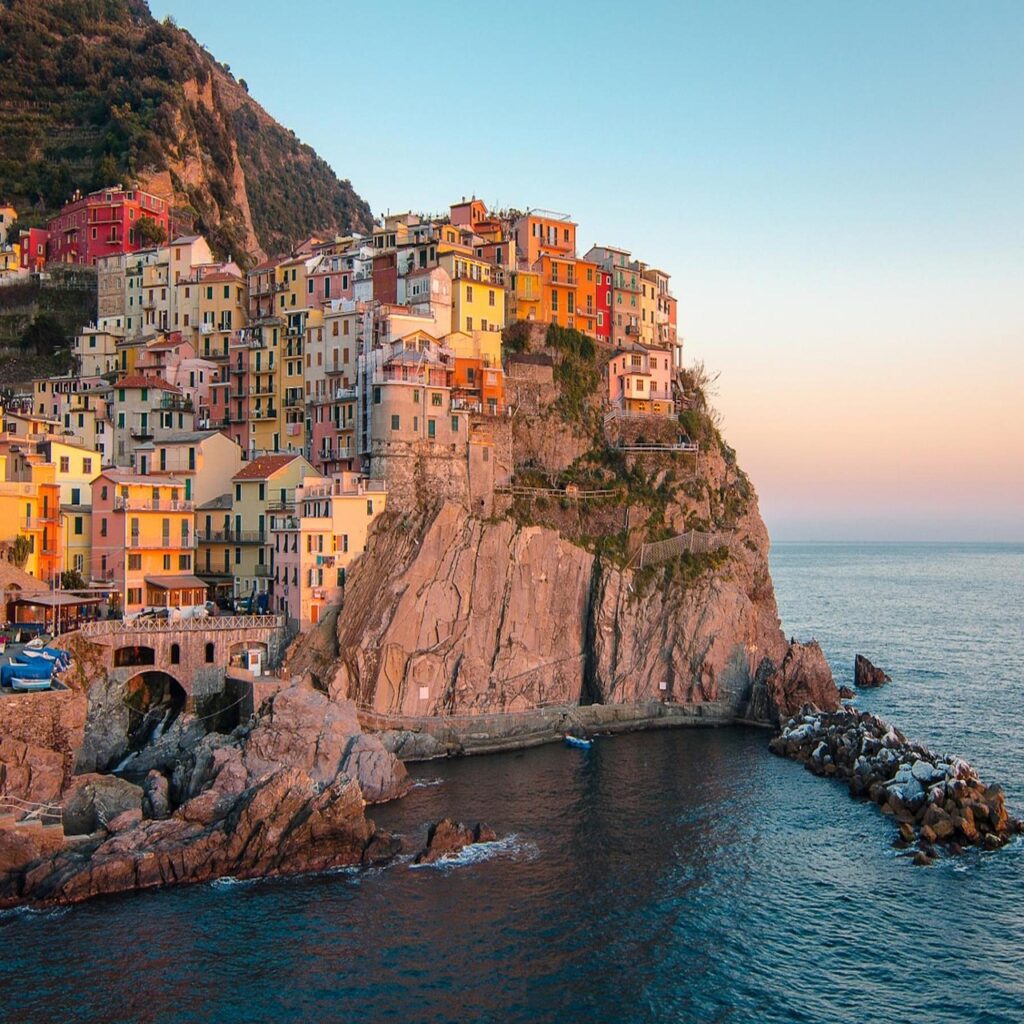
    A picture of the ocean and houses in Cinque Terre, Italy.
    Creator unknown. Image found on Pixabay.com

    Copyright and Attribution

    My thoughts on copyright and licensing

    orange Ford Mustang with hood open and engine showing
    Ford Mustang – Photo by Jacob Moore from Pexels

    I agree to copyright and attribution. I think that if you have done the work for something that you should get credit for it.  As I scroll through the photo library on my phone, I am reminded of the memories of each and every picture.  They are images that I produced.  They could be something as simple as a flower that is getting ready to bloom or something with more moving parts and complexity, like a family photo.  Whatever it is, it is mine.  I did the work for it.  I am more than willing to share the images for others to see and to use but I believe that I should get credit for doing it.  That is why I chose what I chose for my licensing.  I am more than happy to let anyone that would like to use my information use it.  I do believe however, that I should get credit for producing it.  I also am a firm believer that personal information and images should not be allowed to be used for commercial use without the credit or permission of the producer.  Hence my decision.  I am glad to share and very glad that others are willing to do the same, but give credit where credit is due.

    front end of a black and orange Ford Mustang Shelby.
    Ford Mustang GT500 Shelby – Photo by Hemz from Pexels

    Ethics and copyright

    Every semester we are required to sign an ethics statement saying that we will only use our work and if we do used someone else’s, we will give them the accreditation for it.  Every research paper, PowerPoint presentation, and speech, all of them have a works sited page and the originator gets credit.  I think that thoughts and words should remain the property of the person that originally said them as well. If you look back over history, I am sure that there have been many instances where it wasn’t properly documented and then credit when to whomever documented it.  There is a standing phrase at my office, if you didn’t document it, it didn’t happen.  I have seen too many times where someone takes credit for someone else’s work. 

    The creator, of whatever it may be, went through a lot of work to create whatever they created.  It is only fair to them that if we use whatever it is we give them the credit for creating it.  I think that is part of what makes the internet so amazing.  It gives everyone the ability to find anything and, in most cases, use anything.  You just have to give credit where credit is due.    

    Copyright and Attribution

    Why Did I Choose this Copyright?

    I think copyrighting is very important in this day in age. With so many works entering the web daily, there is also the risk of someone taking those works and distorting them for personal use or to make money off of someone else’s time and effort. This is why I feel attribution is important, because it protects the creators work from being completely free game if they want to share it under some form of controlled parameters. If a person doesn’t want their works shared at all, without it first being asked of them, they might place watermarks across the picture to keep it from being used.

    The copyright I selected was the CC BY-NC-ND copyright (Attribution-NonCommercial-No Derivatives). I chose this type of copyright because it allows others to download my works and share them with others as long as they give me credit for it. I feel it is important to credit an artist for their creative works because it is their time and effort that has been poured into it. Also with this particular copyright, a person cannot change my works in any way or use them commercially. I just want to be someone’s inspiration if I can, not someone’s cash cow. If you, or someone you know is interested in making a website, but doesn’t know anything about copyrighting their works, they can read more information on Creative Commons.

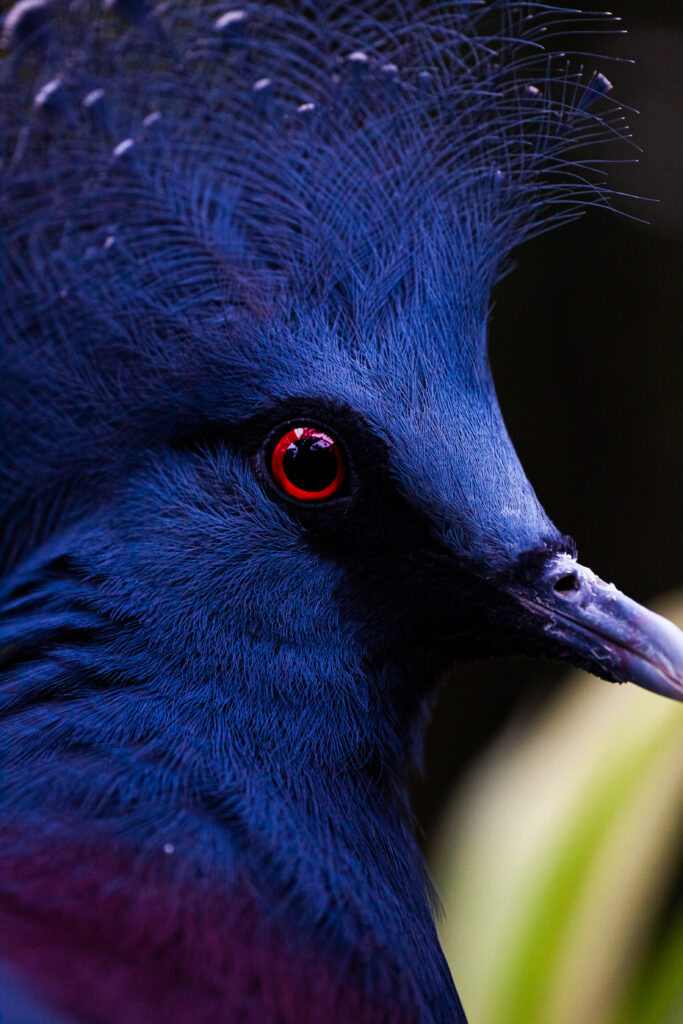
    beautiful blue bird
    Photograph by Enrique Armand from morguefile.com

    So Why Not Take the Risk and “Use” Without Permission?

    When building a website, it is a good idea to add so of your images to capture your audience’s attention. But what about when you use someone else’s images? If it is a picture or an image, it is important to place a caption underneath giving credit to the creator. However, once someone dies, the copyright on their works expires after 70 years. If you are unsure about how to use images on the web ethically, read more on Search Engine Journal.

    On this page, I used two images that are copyright-free sources. They both came from the same web page. I was having issue finding a website for copyright free images, so I took the suggestion from someone I knew to check out ‘MorgueFiles’. From there, I searched through their catalogue of pictures. The images I chose did not have watermarks printed across them, which is a good sign the artist doesn’t mind its use. Under licensing it says one is free to adapt the work, to use this work for commercial purposes and the photo can be accompanied with other content. 

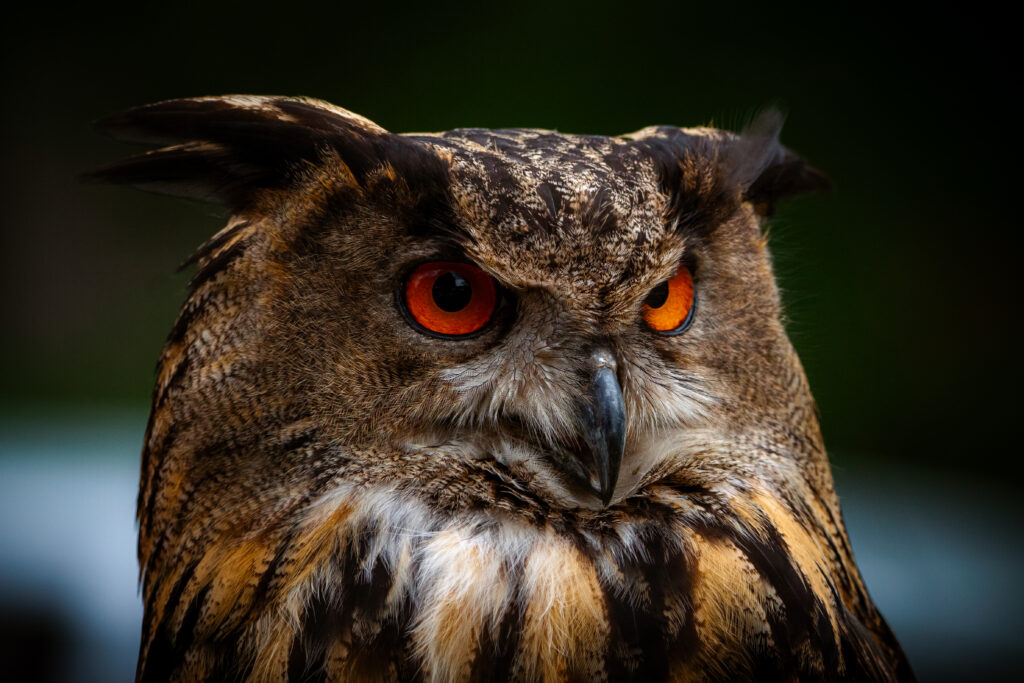
    Owl staring into the distance
    Photograph by Enrique Armand from morguefile.com

    Copyright and Attribution


    Close-up of a lynx with prominent ear tufts against a dark, blurred forest background. The lynx has a sharp gaze and detailed fur texture, highlighting its natural camouflage and predatory features.
    Image by Nils from Pixabay

    A close-up image of a grey cat with striking yellow eyes. The cat has a serious expression, with its ears slightly pointed to the sides. The background is a blurred green, highlighting the cat’s features and creating a contrast with its fur color.
    Image by Ana from Pixabay

    Copyright

    Copyright is what protects your work from being used by others. As soon as you create something it is copyrighted. There is the copyright were no one can use your work without permission, and it has to be attributed. There are other forms of copyright were there are fewer restrictions. Creative commons helps people to understand how they are allowed to use your work. I chose the creative commons license because I want people to be able to interact with my work. If my work inspires them and they use it in a new way that is amazing. I don’t want my work to be commercialized because I want my works to be able to be shared and used for free.


    Using Others Work

    When you want to use someone else’s property, you have to ask. If the work or property is under full copyright, you have to receive permission and give credit to the person who created it. Whenever you use someone else’s work or property you should credit the original creator. Sometimes depending on the creative commons license you legally don’t have to credit the author, but it is always polite to give credit.

    The Importance of Copyright and Proper Attribution

    Copyright

    human figure holding copyright symbol.
    Image by Peggy und Marco Lachmann-Anke from Pixabay

    Copyright acts as protection against others using your literary, artistic, education, or musical work without permission. Posting anything on the internet automatically grants you an “All Rights Reserved” copyright, protecting your idea and creativity. There are exceptions to how people use your work when granted permission. These exceptions can be followed by licensing your work through any Creative Commons license.

    Choosing a Copyright License

    I chose the CC BY-NC-SA copyright license because I am always open to seeing what others can do to add to my ideas and opinions. The Internet would not contain different perspectives on a single topic if others did not build upon the basis of that topic. I would appreciate credit and for people adding onto that person’s ideas to respect it in the same way. If I were able to profit off of my work, I do not want someone else to take the essence of my work, make it better, and profit even more. Therefore, I do not want someone using my work non-commercially. The CC BY-NC-SA license is perfect for how I would like my work to be protected and shared within the digital world.

    Attribution

    Using the Work of Others Ethically

    student taking notes on paper and scrolling on computer.
    Image by StartupStockPhotos from Pixabay

    When using someone else’s words, thoughts, or ideas it is always ethical to give them credit where it is due no matter if their work is licensed or not. This means adding captions to pictures you found online even if you just Googled it; there is always a source on Google images. It also means adding a link to the website or citing a source where you found information that you are using for your work. If a person’s work is protected under a copyright license the user of that work should have a full understanding of the fair use policy. Fair use includes limited access to copyright work intended for transformative uses. For detailed information on transformative uses reference Law of Fair Use.

    Happy Learning!

    css.php