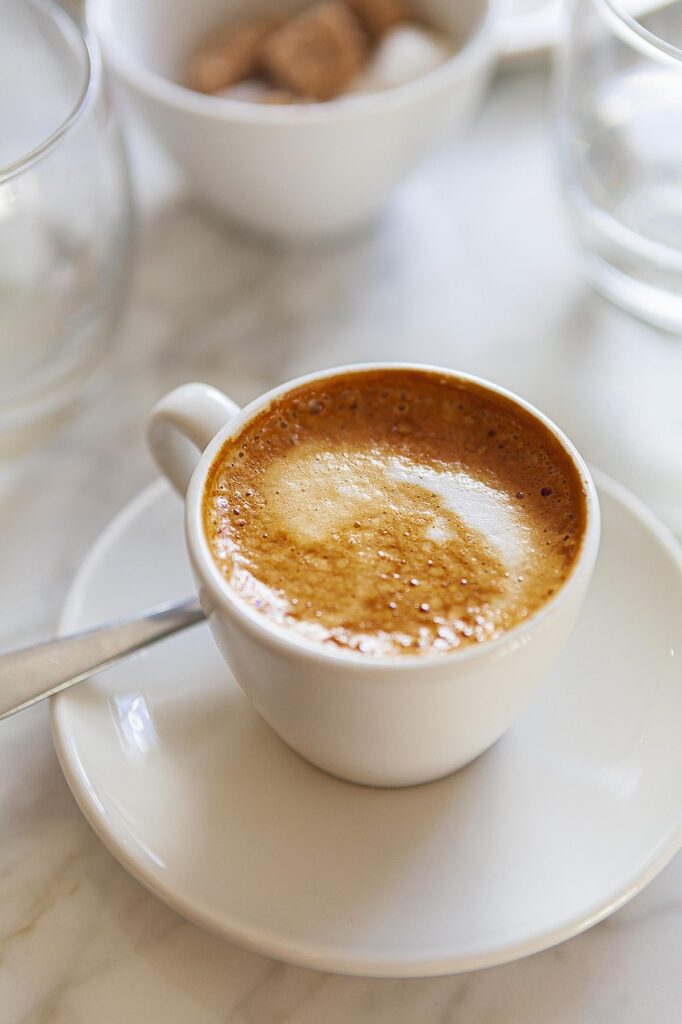
Coffee Break Podcast

Picture of a coffee mug sitting on a table with a spoon next to it.
Creator unknown. Image found on Pixabay.com

Podcast

Process

I used the voice memo app on my iPhone to record this episode. I then uploaded it into Soundtrap to edit and added music from the site. I used AI to help make an outline and script but then changed it to how I wanted the podcast to go. It gave me a good starting point, but I ended up taking out the parts that I didn’t think were necessary and added points I wanted to make.

Attributions

Click here to read more about making the perfect latte at home!

Here are the 10 best espresso machines to buy!

Music is from Soundtrap.com. Creator unknown.

Transcript

“Welcome back to Coffee Break! Today, we’re diving into the art of making a perfect latte right in your own kitchen. By the end of this episode, you’ll know all the steps to brew a delicious latte that rivals your favorite café. Let’s get started! First, let’s gather our ingredients. You’ll need: 1 or 2 shots of Freshly brewed espresso— depending on how strong you want your coffee. Milk—choose from whichever alternative you prefer, but I use whole milk. If you want your latte flavored, you’ll need flavored sweeteners or syrups. But this is optional. Now, for equipment, make sure you have: An espresso machine, A milk frother or steam wand if you want a hot latte, And, of course, a coffee cup to enjoy your creation! Let’s start by brewing our espresso. Either use ground coffee or simply grind your fresh coffee beans and pack them into the portafilter. Then, brew 1 to 2 shots depending on your preference. Next up is frothing the milk. This step is only if you want a hot latte, if you prefer iced- then skip this step and just use cold milk! If you’re using a steam wand, submerge it just below the surface of the milk and turn it on. Aim for a temperature around 150°F for that creamy texture. If you’re using a frother, heat the milk gently before frothing. Now it’s time to combine! Pour your frothed milk over the brewed espresso slowly. For those feeling adventurous, try your hand at some latte art—just tilt your cup and pour in a circular motion! If you like a little sweetness or flavor, now’s the time to add your favorite syrups or sweeteners. Vanilla or caramel are great, classic choices! To recap: brew your espresso, froth your milk, combine them beautifully, and add flavor if you wish! Don’t be afraid to experiment with different milk types and flavors to find your perfect blend. I’d love to hear how your lattes turn out—feel free to send in your feedback or questions! And don’t miss our next episode where we’ll explore coffee brewing methods from around the world. Remember to subscribe and follow us on social media for more coffee tips! Thanks for listening! Enjoy your latte!”

My YouTube Video??

Yuppp. You heard that right. What does Professor Berge have us up to now? Read more below.

We’re All Gonna Die One Day

That title look familiar? It should. It was the title of one of my recent blog posts where I told you what my audio and video project would be about, but if you don’t remember: “We’re All Gonna Die One Day” drives home a powerful message: we only have one life to live, so why let fears or insecurities hold us back? In the video, I challenge common gym-related fears, like not knowing how to use equipment or being afraid of looking foolish. I share how fitness transformed my life, and even though I didn’t personally struggle with gym intimidation, I relate to the urgency for change when health or happiness is at stake. The title underscores the idea that life’s brevity means we should prioritize our well-being, embrace failure, and take action now—no excuses.

The style was inspired by many of the motivational speeches and podcasts I listen to. Perhaps you’ve heard of Eric Thomas?

The Process

I’m not going to lie, walking into the gym with my long shot list had me a bit overwhelmed, especially because I normally just record willy nilly, but I got it done! I shot with my iPhone 14 Pro, most of the time in cinematic mode. In addition, I used my favorite tripod from Amazon. There were quite a few shots at the end that my boyfriend, Jordan, shot; I really like how those turned out.

I used the same audio from my audio project last week and only edited a few spots. To edit my video, I used CapCut pro, exporting at 1080P and 30spf.

I chose YouTube incase I ever explore YouTube in the future, plus I wanted to see how simple/hard it was to upload a video.

I used all of these pieces of equipment because I know them well. I was confident in my ability to produce a project I was proud of with the time I had since I use these tools often. Plus, I am happy with their quality!

Attribution

Phone alarm snooze and stressed man: Photos by cottonbro studio

Fail wood tiles: Photo by Markus Winkler

Partner battle ropes: Photo by Leon Ardho

Gym machines: Photo by TUBARONES PHOTOGRAPHY

Mistakes are proof you are trying: Photo by RDNE Stock project

Stop making excuses tiles: Photo by Brett Jordan

If you just say yes to yourself graphic: Me! Made on Canva

Here it is!

I hope you enjoy!

Love Yourz,

Kai:)

Heavy Is the Hand That Holds the Spoon: A Video Experience

Video

Video Transcript

My is Meaghan Van Dyke and I’m the host of Heavy is the Hand That Holds the Spoon, a look into the Mary Washington college dining experience. Welcome to our first and only episode.

For many students, college is their first experience of true Independence and the first time that they are relied upon to make meals for themselves. The question remains, how did students actually use the kitchens that are given to them in their University accommodations? To find out, we interviewed Eagle Landing residents and sophomore University of Washington, Riley Munford

I’m here with Mary Washington sophomore Riley Munford, who is a first-time apartment resident. Riley, would you mind telling me a little bit about what you like to cook in the apartment and where did you learn to cook that?

“Tonight for my friends, I am making a recipe that my aunt actually got in Europe when she was traveling abroad, and I think my family took took it and adapted it to an American sense of the meal. But I learned to cook it like growing up in my house with my mom, and we have this whole process of like all of these specific steps that we have to take. I’ve always had people tell me that there’s a more efficient way to do it but there’s like just a tradition of the specific, like way to make it that makes it homey.” “Yes!”

For University officials, understanding students eating habits is an important way to make sure that all students are accounted for and cared for. This has been Meaghan Van Dyke and this is been the first and only episode of Heavy is the Hand That Holds the Spoon, a look the Mary Washington dining experience.

Behind the Scenes

About

This video follows the experience of learning to cook in a college environment. In the podcast specifically, I interview my friend Riley, a sophomore at UMW and a first time apartment resident. While Riley talks about her experience cooking a very yummy tomato basil pasta meal, the video features me trying my best to recreate the meal under Riley’s instruction. To learn more about helpful cooking tips for beginners, visit this Kroger page on ways to improve your cooking methods. For a recipe specifically similar to Riley’s tomato pasta recipe, check out this tomato and garlic pasta recipe!

Editing and Recording

To record this video, I rented a tripod from the HCC and used the camera on my phone. The tripod with my phone proved to be the most efficient recording method with the best quality. I chose Canva for my video editing software, as I could both easily create my video’s logo through Canva and arrange and crop the videos faster. Finally, YouTube allowed me to edit my captions and control how I shared my video more clearly, prompting me to chose the streaming service for my project.

Attributions

While I recorded the videos myself, the graphic I created for the video’s logo was developed using the “Modern Minimalist Skincare Blog” template on Canva. A special thank you goes out to my roommates for helping me set up and eat the meal I prepared in this video, and for Riley for allowing me to interview her/film her welcoming me into the apartment 🙂

Project 8 Video

The Title and Script

I used the same title and script about resolving family conflict. I got the shots using my phone camera with voice recorder. I modified the script to match the shots.

Video Lists

As I indicated in project 8.6, It is difficult to get real family in conflict to record, so I made a video shot and added modified video clips to help convey the message. Attached is the lists.

Recording

I have to use phone camera because I don’t have actual digital camera and the tripod. I am not in Virginia so I was not able to use the equipment at the Convergence Center. I used my phone camera to take the shots and I used Canva to edit the graphic, the video clips and the shots. Attached is the video shots with the clips and the graphics.

CC BY 4.0. YouTube Video by Alberta Koomson

Visual Materials

I modified graphics and videos form Canva and took video shots with the phone camera.

Video Topic

The topic of the video is about how family members can resolve conflict.

Family conflict is normal it’s the repair that matters. For more information, click on the link: (Diana Divecha. Family Conflict Is Normal; It’s the Repair That Matters).

The video also goes over dealing with difficult family relationships. Click the link for information: Sheldon Reid. Dealing with Difficult Family Relationships)

Homelessness & Affordable Housing – Project 8

Making of the video

I used my iPhone 13 ProMax. The iPhone has an exceptional camera and is easy to handle and use. It does not require a lot of equipment that needs to be carried around and is discrete.  The most difficult part of filming was around town.  Setting up a tripod and attempting to shoot any video coverage was interesting to say the least.  Everyone wants to know what you are doing and what the video is for.  Unfortunately, a lot of the individuals that I would have liked to get into the video footage did not want to cooperate without some sort of “payment”.

I used ClipChamp to edit my video.  It was easy to use and understand.  The most difficult part was figuring out how to get it saved so I would have the correct link to embed within my blog post. 

Video

Transcript

Hi, this Jenny and I’m here with Faith from New Beginnings and we’re going talk about homelessness in Culpeper. Faith. What can you tell me about homelessness in Culpeper? homelessness, in Culpeper is definitely a bigger problem than what people realize. There are many individuals that are chronic have homeless for five, 10, 15 years, and then there’s a large population of people recently, experiencing homelessness due to the job economy. The housing market, not being able to find affordable housing and availability or becoming evicted because they’re unable to Maintain their rent. What is? A housing. So, affordable housing is supposed to be housing that does not exceed about 33% of your monthly income. However, most housing in this area for low income, for one bedroom apartment runs. Starting at about 1100 dollars, and for someone that may be like on disability, that’s only making about 900 dollars a month. They don’t even make enough to make the payment. Let alone only a third that. So do you think Affordable housing will help the homeless population. Think affordable housing will help the homeless population if actually becomes affordable if they base it more on a sliding scale based the individual individuals income rather than on percentages of the national average or the regional average. And the actual population of this area is right. Well, thank you, faith. For enlightening us on homelessness. You’re welcome.

Attributions

David Roberts for his outreach and misinterial message that he gives to the homeless in our town.

Faith Smith from New Beginnings Outreach for her continuing support and for all that she does for the community.

Music by Pixabaycom

Information about Culpeper Crossing

Image by Canva.com

DGST Video Project

My Video

Information about my topic

In this video, I am talking about how getting involved in school extracurriculars leads to academic success. This is because it allows you to develop skills, attain a support network, and develop personal growth & confidence. In Alexander Astin‘s theory of student involvement, Astin discusses how doing extracurriculars lets you build relationships with the people around you on campus because that’s who you surround yourself with. Morris Rosenberg talks about how personal confidence is developed by surrounding yourself with people who care about you which then makes you feel better about yourself and you take pride in the things you do.

Attribution

The intro and title cards seen in the video were created by me on Canva. The first stock footage video I used was called “A middle age man teacher wearing glasses talking to a young man” from Mixkit by an unknown creator. The next video I used was “Young business team discuss design in modern office” also by an unknown creator, found on Mixkit. The last stock video footage was found on mixkit as well, it was called “Students walking in a university” also by an unknown creator. Lastly, the music was called “Travel Nonstop” by Squadda B and I found it on YouTube’s audio library.

Process

I found the process to be very easy because I have been making videos for a long time. I have been using adobe premiere pro for years so I knew how to use it to do what I wanted. I also thought filming the videos were easy, because Apple makes recording videos very accessible, so I didn’t have to go through the learning curve of figuring out how to use a video camera. I picked YouTube because I use YouTube for everything, so again I find it very easy to understand how to use it.

Project Eight – Final Video

Crafting the Perfect Event with Culpeper Parks & Recreation

The complimentary video for the audio podcast I made in project seven!

Video by Summer Koontz from dgst101.summersthoughts.com, streamed by Microsoft Stream

The Topic of My Video

What my video is about and online resources to support my topic! 

For my video project, I made a complimentary video to go along with the audio podcast I made in project 7 titled, “Crafting the Perfect Event with Culpeper Parks & Recreation”. In the video I discuss the ins and outs for creating a successful social event for the public with the advice of Culpeper Parks & Recreation, as they host several popular events every year. Within the video, I (Summer Koontz) interview the department’s Recreation Superintendent, Director and Parks Superintendent as they examine the aspects of planning, advertising and physically making an event come to life. 

As I mentioned previously in project 7 when making my audio podcast, I found two helpful online resources that further discuss the important points of crafting a successful event! They are as follows:

  • The Event Planning Guide from Henrico.gov and provided by Henrico Recreation & Parks gives extremely detailed, and further in-depth notes of all the elements that go into planning an event for the public.
  • The Event Planning Steps, Tips & Checklist for planning your public event created by Projectmanager.com displays an easy to understand list and descriptions for everything needed to plan a successful event. This includes all the equipment needed from start to finish, different templates to use to stay organized throughout the process, volunteers, how to advertise effectively, etc.

The Process for Making My Video

The camera, editing software and streaming platform I chose to use for my video, and why!

While I was recording videos for my project, I was also taking pictures for my job with Culpeper Parks & Recreation. So, I used my IPhone 12 to record the videos taken, as it was the easiest to carry while also having a camera. Speaking of cameras, all of the pictures used in the video were taken by me on a Nikon D3500. Once I uploaded the pictures I wished to use for my project, I used Adobe Lightroom to edit the photos and Adobe Photoshop to add text to the photos. Furthermore, videos I used were edited together by Apple’s IMovie. I decided on this platform because I was the most familiar with it, and I find it to be extremely user-friendly for the type of video I was wishing to create. As far as the streaming platform I chose, I wanted to try something new, so although I was the most familiar with YouTube, I had never really heard of Microsoft’s Stream before. Therefore, I wanted to try it out – and I found it very helpful and straight-forward when it came to editing captions and transcripts for the video! 

Credits and Attributions for My Video!

Giving the proper recognition for everything that made my video come to life!

  • Video and photo attributions: 

All videos are by Summer Koontz from dgst101.summersthoughts.com recorded on IPhone 12’s Camera Application

Video of Culpeper Parks and Recreation’s Facebook page by Summer Koontz from Facebook.com

All photos are by Summer Koontz from dgst101.summersthoughts.com taken on a Nikon D3500 camera

  • Audio, music and sound effect attributions: 

Audio by Summer Koontz from IPhone’s Voice Memos Application

Crowd chattering, heavy machinery and children in crowd chattering sound effects by Summer Koontz from IPhone’s Voice Memos Application

Introduction music: “Jetsonmade – Racket (Piano) + (Clap)” from Soundtrap.com

Conclusion music: “Vocal – Dumb 6” from Soundtrap.com

  • Editing attributions: 

Photos edited by Summer Koontz from Adobe Lightroom and Photoshop

Videos edited by Summer Koontz from Apple IMovie 

Audio edited by Summer Koontz from Soundtrap.com 

Video streamed by Summer Koontz from Microsoft’s Stream

Video Project: The Benefits of Green Spots on Campuses

The Topic

I chose the topic of focusing on green spots around campus because my friends and I love to take advantage of the spaces on campus that are made for students to sit outside and enjoy the weather. In college, you can be stuck inside for the most of the day, even if it is if you are in class or just doing work in your dorm. Outdoor spaces are useful not only just to heighten the aesthetic of the campus, but to also help the mental-health, academic and social life of an individual. In an article by The California Aggie titled The benefits of outdoor study spaces, they emphasize how it can boost productivity, as well as having numerous health benefits. Additionally, in an article by APPA titled Colleges and Universities Should Invest In Outdoor Spaces, they can have environmental benefits as it can conserve natural settings and create a smaller carbon footprint as opposed to building a new academic building. Overall, there are many benefits to having outdoor spaces, and all campuses should utilize them.

Credits and Attributions

In the audio portion of the video, I found the intro/outro music on Pixabay.com called “Vibe Intro”, which does not credit a creator. There is also some sound effects in the background which I also found on Pixabay called “Avala Trail Forest Nature” by dbsound. For the visual portion, I also used Pixabay to find any extra videos I needed, specifically called People laptop team free stock video by Samidurrakzai. I also used Canva templates in order to make the graphics throughout the video.

The Process

In order to record the video, I used my phone to get all the shots I needed. It was also useful in order to get the stable and moving shots, as well as transferring the videos from my phone to the computer in order to edit them. I used ClipChamp to edit the video, which was very easy to use with creating good cuts and transitions between the shots. Finally, I uploaded the video to YouTube, since it is a video platform that I love and use often in order to watch or upload my own videos. It is also very simple to use in terms of creating captions or any possible restrictions that need to be added. Overall, the softwares and equipment that I used made the process a lot smoother.

Video

Video

On YouTube, the video has captions, but I’m not sure if you can see the captions here.

Topic

I wanted to talk about ASMR because I really like it, and I have a lot to say on the matter. Autonomous sensory median response, or ASMR, are quiet sounds that produce a tingling sensation, like brushing your hair, that create a sense of tranquility. Psychology Today has a great article describing why ASMR is so popular and how it helps. Gazing at someone kindly, quiet sounds, and light touches are three major categories of ASMR. The most popular sound in ASMR is, not shocking, whispering. Not only is it a soothing sounds, but it also conveys the person doing the ASMR has a kind personality. ASMR University has an article that goes more in depth into the reason why ASMR and whispering is the way that it is.

Credits

Photos

Via Adobe Express
Via Adobe Express

Music

Celtic Moon-Loop 1. Via Adobe Express.

ASMR Sounds

Tree branches breaking, snapping, snapping cracking 10. Via Adobe Express.

Crunching or cracking 02. Via Adobe Express.

Rocks knock against each other. Via Adobe Express.

Process

I recorded with my iPhone for the camera. I have a newer model, so I have good video quality, and I have the option to zoom in and out easily. The reason I chose to use my iPhone is because it was readily available and I didn’t have to rent anything. For the software, I chose to use Adobe express, which is a free video editing site. Adobe is a popular choice for editing, so I decided to try it out. It’s also free, so I thought it was the best choice. I uploaded my video to YouTube because I already had an account set up with no videos, so I thought this could be the first. I chose YouTube because I know how to upload videos easily, and it’s free to upload.

Video Final

Topic

My topic is making crochet coaters for my younger siblings. I got this idea while on fall break and thought it would make an easy project. The video consists of the coasters I made, the yarn isle at Micheal’s and a shot of me working on one for the coasters. The pattern I used is the Sunrise Coaster and the yarn I used is from Loops and Threads

Credits

The pattern is Sunrise Coasters from tl yarn crafts.

The image is from Micheal’s Loops and Threads Everyday Cotton Yarn.

The opening image is from Canva, it was a presentation made by Michelle Amoruso.

The music I used is called At the Playhouse by Michael Ramir C.

The background sound effects that I used were found on Soundtrap.

Process

I used my phone to record the videos. I recorded each shot using a tripod and my phone. Most of the shots were made one after the other but it was easier to record in pieces because I had to move or grab things, and it made more sense to stop the recording than to keep it going and have to cut it. I used Clipchamp to edit the video. I picked YouTube as the streaming platform to upload my video. I picked Clipchamp because was part of Microsoft and the school already had it. I pick YouTube because I knew that I could upload the video unlisted so that most people would not be able to find it just by searching something similar.

css.php