Culpeper Parks & Recreation Podcast

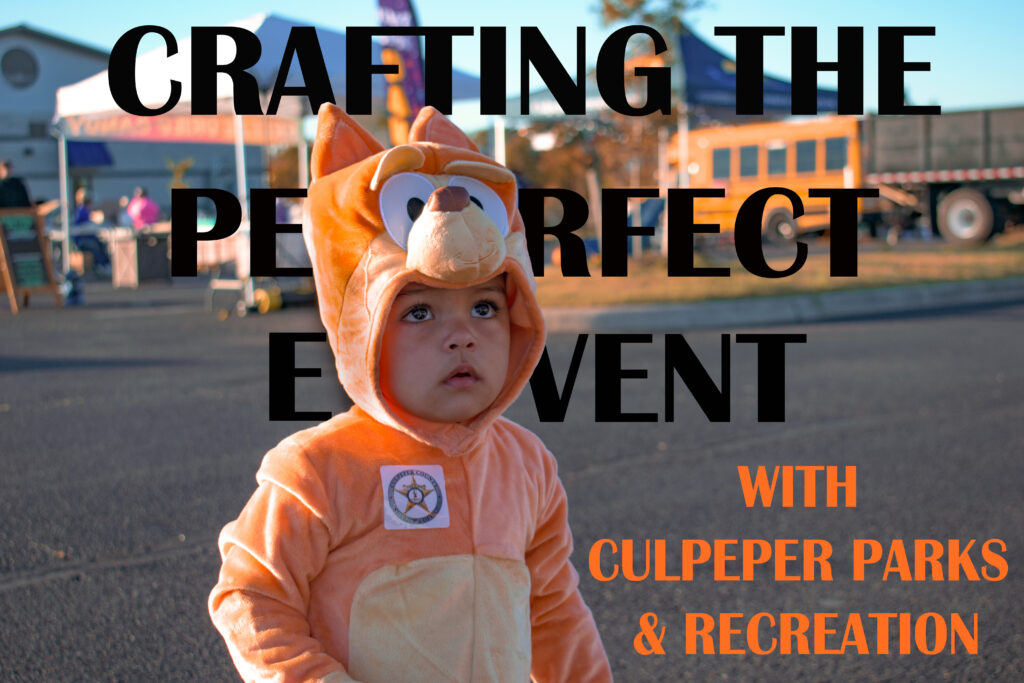
Episode One: Crafting The Perfect Event

DGST101 Audio Project Concept and Results

In this podcast episode recreation aide, Summer Koontz, interviews the department’s director, Recreation Superintendent and Parks Superintendent as they prepare for this year’s Moonlight Halloween Candy Hunt. Within this episode, you can learn the logistics of creating the perfect public event. This includes the conception of the event, marketing and advertisement as well as building a team to make the event come to life.

Two women dressed up in costumes posing together with the words, "CRAFTING THE PERFECT EVENT WITH CULPEPER PARKS & RECREATION" above their heads.
Image by Summer Koontz from dgst101.summersthoughts.com

Episode Transcript

Follow Along With the Written Transcript Provided Below!

Summer Koontz: Welcome! My name is Summer Koontz and today we’re diving into the art of creating a successful social event for the public. So, let’s explore the key concepts to making your event unforgettable with some advice from the department of Culpeper Parks and Recreation.

[Crowd chatter]

Summer Koontz: A successful event starts with a solid plan. Culpeper Parks and Recreation’s, Tabitha Riley, is here to help as she is currently prepping for this year’s Moonlight Halloween Candy Hunt.

Tabitha Riley: So in preparation of an event like the Moonlight Halloween Candy Hunt, involves coming up with the idea, and then it’s laying out the logistics and timeline of the event. So starting with what date we’re going to do it on and what time, and then backing up from there as far as when do we need to have vendors, when do we need to have supplies available, scheduling staff and then actually the timeline of the event. But a lot of this is also just volunteer vendors, they come in and they wanna participate and be part of the community.

Summer Koontz: For this event and many others, Culpeper Parks & Recreation’s director, Andrew Hardy, utilizes social media advertising to reach their audience.

Andrew Hardy: Our preferred model is actually utilizing Adobe Photoshop to make a variety of marketing materials. With those marketing materials, we put them on Facebook and other digital platforms to reach our target audience.

[Heavy machinery moving]

Summer Koontz: Having the right team to make the event come to life is crucial. The department plans logistics with the help of parks superintendent, Joe Koontz, and his team.

Joe Koontz: After attending the candy hunt event pre-meeting, I meet with my team the following day to go over how we’re going to set up the event, and handing out assignments for each thing that needs to be done.

[Children in crowd chattering]

Summer Koontz: With careful planning and execution, your social event can be a memorable success. Thanks for listening, and a special thank you to Culpeper Parks and Recreation’s team for joining me in this episode. Happy event planning!

How Did I Craft My Audio Project?

The Tools, Equipment and Software I used to Create My Audio Project

I used a variety of different tools when creating my audio project. As shown, my project is very interview-heavy, which can lead to complications. Many of my interviewees were very squirmish, making it difficult for the audio to pick up well. However, after some trial and error I found success with two audio devices: the built-in microphone attached to wired headphones for Apple products and a small lapel microphone that I was able to borrow from my work (at Culpeper Parks and Recreation, funny enough!). I then captured the audio using my IPhone’s Voice Memos App. Once the audio was recorded, I utilized the free audio editing software, Soundtrap. In Soundtrap I was able to put the different audio clips together, as well as some copyright-free music to add into my introduction and conclusion. As mentioned in my previous post, I made use of AI (Microsoft Copilot) in making my outline of the project. However, I altered it slightly to make all the content fit and flow cohesively. 

Credits and Attributions

Giving Credit to the Resources that Made My Project Possible!

Many of the key points of focus that were included in this episode’s podcast were distributed from the following resources:

  • The Event Planning Guide from Henrico.gov and provided by Henrico Recreation & Parks gives extremely detailed, and further in-depth notes of all the elements that go into planning an event for the public.
  • The Event Planning Steps, Tips & Checklist for planning your public event created by Projectmanager.com displays an easy to understand list and descriptions for everything needed to plan a successful event. This includes all the equipment needed from start to finish, different templates to use to stay organized throughout the process, how to gain volunteers, how to advertise effectively, etc.

Music and sound affect attributions:

Introduction music: “Jetsonmade – Racket (Piano) + (Clap)” from Soundtrap.com

Conclusion music: “Vocal – Dumb 6” from Soundtrap.com

Crowd chattering, heavy machinery and children in crowd chattering sound affects by Summer Koontz from IPhone’s Voice Memos Application

Podcast episode edited by Summer Koontz from Soundtrap.com

Audio Project Checkpoint

Crafting the Perfect Event

A deeper exploration on the topic of my audio project

I am currently employed with Culpeper County Parks & Recreation, and I absolutely love my job there! Working towards the future, I hope to continue my career with the Parks & Recreation department. Therefore, I found it fitting to create this project around a crucial element of my job – public event planning. More specifically, our annual Moonlight Halloween Candy Hunt!

Crafting my Perfect Audio Project

The outline, script and equipment I will use to create my audio project

I’m beginning this project by creating an outline and script to follow – this is a pivotal part of my project because I am planning on interviewing several co-workers. Due to the conversation of AI in the previous weeks of my DGST 101 course, I found it intriguing to use AI as a resource to help create my outline. To explain, I used Microsoft’s Copilot to help produce a two minute outline for public event planning. Copilot’s suggestions were very helpful, and I did use it as a foundation for my project. However, I did tweak the outline to be bigger chunks due to my project being interview-heavy.

Click the title below to view the final outline:

Title: Crafting the Perfect Event Introduction (0:00 – 0:15)

Introduction (0:00 – 0:15)
Opening Sound: Background music with cheerful, upbeat tones.


Narrator’s Voice: “Welcome! My name is Summer Koontz and today we’re diving into the art of creating a successful social event for the public. Let’s explore the key steps to making your event unforgettable with advice from the department of Culpeper Parks & Recreation.”

Point 1: Planning, Conceptualization, Budgeting & Finding the Right Vendors (0:15 – 0:54) (54 seconds total)

Sound Effects: Pen scribbling on paper. (3 seconds).

Narrator’s Voice: “A successful event starts with a solid plan. To help further explain this concept, Culpeper Parks & Recreation’s Tabitha Riley is here to help as she is currently prepping for this year’s Moonlight Halloween Candy Hunt.” – (11 seconds)

Interview – Tabitha, Recording in Parks & Recreation Meeting Room:  

“Explain to me how you produce an event like the Moonlight Halloween Candy Hunt? (What was your process for the Moonlight Halloween Candy Hunt specifically?) How do you budget for an event like this while also choosing the best vendors to make the Moonlight Halloween Candy Hunt a lively event? – (answer: 40 seconds)

Point 2: Marketing and Promotion (0:54 – 1:24) (30 seconds total)

Sound Effects: Typing on a keyboard/Clicking on a mouse. (3 seconds)

Narrator’s Voice: “Culpeper Parks & Recreation’s Director, Andrew Hardy, utilizes social media advertising to reach their audience.” (6 seconds)

Interview – Andrew, Recording in Andrew’s Office:

“So tell me the process for creating (what do you use to create) an eye-catching advertisement for an event like the Moonlight Halloween Candy Hunt? Why do you choose social media as your main source of advertisement for an event like this? (Benefits??)” (answer: 20 seconds)

Point 3: Creating your Event Hands-On, Execution and Engagement (1:24 – 1:49) (25 seconds total)

Sound Effects: Joe Instructing his Team. (3 seconds)

Narrator’s Voice: “Having the right team to make the event come to life is crucial. The department plans logistics with the help of Parks Superintendent, Joe Koontz and his team.” (7 seconds)

Interview – Joe, Recording in Work Vehicle, Outside, or in Workshop:

“So how do you prepare your team to help physically make Tabitha’s plan of the Moonlight Halloween Candy Hunt come to life?” (answer: 15 seconds)

Conclusion (1:49 – 2:00) (11 seconds total)

Sound Effects: Fading Upbeat Background Music & Children laughing/running. (Bleed into narrator’s voice)

Recording: Outside

Narrator’s Voice: “And so, with careful planning and execution, your social event can be a memorable success. Thanks for listening, and a special thank you to Culpeper Parks & Recreation’s team for joining me in this episode. Happy event planning!” (11 seconds)

Now that my outline is complete, it’s time to find the right audio recording equipment to capture my interviews. Unfortunately, I am on a stricter budget with not easily accessible means of reaching UMW’s Fredericksburg campus. So, I decided to follow the advice of Katie Thornton that sometimes less is maybe not more, but just enough! I went to my local Target store and bought a pair of wired headphones that my interviewees could wear to capture the audio and I was pleasantly surprised with how clear the audio was!

Below is a fourteen second test recording of an interview I did with Tabitha:

Podcast Outline & Test Recording

My Topic and Equipment

For my topic I am going to discuss Stephanie Garber’s new book, Spectacular, That will be released October 22nd. This a novella connected to her first series she created called Caraval.

Equipment

For my podcast I will be using my phone to record it and it will be a monologue. I will be recording this podcast in my house and will be using background noise from a book store.

Podcast Outline

Introduction (0-20 seconds):

  • Intro music
  • Introduce who Stephanie Garber is

Section 1 (20-40 second):

  • Explain the first three books of the Caraval Series/introduce the characters
  • Include book store background noise

Section 2 (40-60 seconds):

  • Describe the new novella Spectacular

Section 3 (60-80 seconds):

  • Discuss my opinions about the series and what I hope will happen in the novella

Section 4 (80-100 seconds):

  • Discuss the connection these characters have and how they are connected to her other series Once Upon a Broken Heart

Outro (100-120 seconds)

  • Conclusion about the new Novella
  • Acknowledgments
  • Outro music

Test Recording

Creating digital art

My designs: what they are and how I created them

Choosing the design

For the favicon, the image I chose to use is a circle surrounding my initials. I wanted the website icon to be something ambiguous, so that I could continue to use the same icon if I choose to repurpose the website in the future, but attributable enough to me that it could be easily associated with my name.

An image of a circle containing the letters "L" and "F".
Favicon, image sourced from Lauren Foley

For the website header, the image I chose to use includes the name of my website, surrounded by different geometric elements. I chose to use a similar color scheme to the rest of my website, in order to create continuity. I chose to incorporate the geometric elements purely for the aesthetic value, although I also associate the geometric shapes with digital art and the internet, so there is some congruency there as well.

Image of an orange background containing the text "Lauren Goes Digital" and various geometric shapes
Website header, image sourced from Lauren Foley

Creating the design

I created both images using Vectr, which is a free graphics editor, although the use of some features requires purchase. I first set my project to the desired pixel dimensions, before adding in the various elements I wanted to include, while experimenting with different colors and effects.

Choosing a file type

The file type I chose to use was .png, because it displays graphic designs better than .jpg, its counterpart, which is better suited for photographs. This file type helped to make my images clearer and improve the resolution.

Images

My Images

For both of my images I tried to keep them more on the simple side so they didn’t appear too chaotic. For my site icon I created this swirl circle and put my initials in the middle. For my site header I used stars. I used Inkscape to create both of these images. When I first started making my images it seemed kind of intimidating but I think by the end I had a basic understanding of all the features. I saved both of my images as PNGs because they work the best for icons. They allow you to make bright colorful graphics to use as your icon and the file size isn’t reduced.

red background with pink stars
Created by Claire Quinn on Inkscape
Blue circle with the letters CQ in the middle
Created by Claire Quinn on Inkscape

Attributing knowledge: navigating copyright on the internet

Copyright on the web

Copyright: what is it, and why is it necessary?

Image of hundreds of app icons.
Image by geralt, free for use under the Pixabay Content License: Pixabay

Copyright can be defined as “the legal protection that grants the creator of an original work exclusive rights to its use and distribution”. This means that when someone creates material, they automatically own the rights to it just by virtue of its creation; however, in order to take legal action over unauthorized use of the content, the work must be filed with the US Copyright Office. Copyright is important because it not only protects someone’s work from being stolen and inaccurately portrayed as someone else’s, but also prevents others from using the work in ways that the creator did not consent to and does not agree with.

The use of copyright on my site

For all of the content I create on my website, I chose to use the Creative Commons license CC BY-NC 4.0, which means that others using my work must give credit to me, as the creator, and that my work can only be used non-commercially. I chose to use this license because I felt that it was important to receive credit for my ideas, and that the use of my ideas for commercial gain was unfair.

Ethical collaboration: the sharing of ideas

Image of three desktop computers, emitting lines of information.
Image by geralt, free for use under the Pixabay Content License: Pixabay

Why is attribution important?

Properly attributing others’ work and respecting their wishes in regards to its use and distribution is important to take into consideration when using the internet, for multiple reasons. The first of these is avoiding the legal action that could come with improper use of someone else’s work. However, it is also important to take into account the creator’s intentions when using their work, as it is their intellectual property. By creating something, they automatically have ownership over that content, and therefore have a say in how or why it is used.

How to properly attribute content

If the creator supplies the method by which they would like to be attributed, then the obvious solution is to follow their guidelines. However, if they do not, there are other ways of crediting work. The first of which is naming the creator and supplying a link to their website or other internet presence. If the creator is unknown, then simply state that and provide a link to where the content was found. In addition, if the material used another original work, include both sources to properly credit both creators.

Copyright and Attribution

Reflecting on Copyright and Attribution

Why I chose CC BY-NC 4.0

I choose the creative commons attribution-noncommercial 4.0 international license because it requires others to give credit but allows others to still add onto it or remix it as long as it is for noncommercial purposes.

Using the Work of Others Ethically

It’s important when using others work to make sure you give them credit and make sure to do your research before posting on the web. The way you give credit to someones work may vary depending on what creative commons license they choose. For example, A CCO license does not require others to credit you when they use your work. This is the least restrictive license you can have. A CC BY-NC-ND license allows users to view and share the work as long as they credit it; however, you are not allowed to modify their work or use it commercially. These polar opposite creative commons license, but there are several other types you can have. It’s important to make sure you give proper credit to other peoples work when using it in your own work.

There is also something known as fair use which allows people to use copyrighted work to create something else. For example, fair use can be used to critic an article, or to teach others about a topic. since fair use is a exception to copyright rules it can be difficult to define a limit to what is considered fair use and what is not.

Trees from top of mountain with fog and cloudy sky.
Creator RuslanSikunov. Picture found on pixabay.
Coffee cup on top of a book with lavender.
Creator Daria-Yakovleva. Picture found on pixabay.

Who am I on the Web?

My Online Identity

The Importance of Online Identities

Everything posted publicly online can be viewed by anyone at anytime. It’s important to take into consideration who will see your post when posting things online. Future employers will be able to see all of your social media and what you have posted online. To read more about the importance of online identities click this link to The New Yorker.

University of Guelph presentation provides guidance on social media etiquette for student groups, teams and staff.

My life on the Web

One benefit of the web is being able to communicate with people who live all over the world. Through the web I have met lots of people with similar interest to me. For example, through discord I joined a book club and met lots of people who enjoy reading just as much as me. These friends live all over the world and only know me through my online identity.

Domains

The Importance of Domains

Domains allow people to make their content easy to access and view. It allows people to search someones content with a specific phrase. It also allows people to make digital content online for others to see.

Why?

For my domain I chose to just use my name Claire Quinn because it is simple and I can use it for several things. It broad and I can add more specific subdomains to it overtime. For my subdomain I chose “Claire’s Blog” because it is specific to this class and make it easy to identify.

Who am I on the web?

A man sitting at a desk on the computer, engaging with others on the internet through likes and comments.

Web presence

My current role

Currently, my role is that of a college student. As such, my online presence should be that of an academic, especially in regards to class projects, such as this one. My presence should contain information about my classes and academic pursuits for my current and future professors to see. In addition, the content that appears as being attributed to me should be work that I am proud of having created.

My future role

In the future, I plan on attending graduate school before entering the workforce. Therefore, my online presence shouldn’t display anything that I wouldn’t want the admissions office at my future institution or a potential employer to see. For me, this means keeping my online presence professional and intelligent, so as to make myself a more suitable candidate for my academic or professional prospects; the content that appears under my name should be work that will impress future institutions or employers. It also includes cultivating an online presence in areas related to my future line of work and making connections with established professionals in that area.

Things to consider

Appearances

When beginning to build an online presence, there are many aspects to be considered in order to cultivate the appropriate kind. The first of these is deciding on a website name that is both easily identifiable and professional. This also applies to any usernames used in profiles on the internet. In addition, the name should not be too specific, in order to not limit the focus and make it more applicable. All of the content included in an online presence should be that which you are not embarrassed to be associated with, as anyone with internet access will be able to search and find this information and connect it to you. For more information on cultivating a professional online presence, click this link: How I Created a Professional Online Presence

Example

For this domain, I chose to use my name for the website name. I chose this in order to keep my website easily identifiable as being mine, and I only used my name so that the website could be widely applied in different areas of my life and in the future, should I choose to continue using it; in addition, it was the easiest way to ensure that I would not harm my future self’s prospects with a poorly interpreted name.

Navigating the Digital Age: Separating the Facts from the Fancy

False & Inaccurate Information on the Web

False information can spread rapidly online, with there being multiple methods out there. Clickbait being the main one. Clickbait refers to misleading headlines and thumbnails on a specific content to entice the viewer to click on it. When misinformation on specific content gains media traction, it usually spreads rapidly due to the lack of review by the people. If one person decides to post some information that is factually incorrect, others may repost it thinking that it is the correct thing without actually fact checking it. Social media doesn’t good a job with helping this, as the algorithm is indented to push out information if the post is on-topic about something trending.

Impact of AI on Misinformation and Disinformation on the Web

AI has been around for a long time, but it is now getting more creative by the day. AI has greatly impacted the community and introduce some highs but a lot of lows. In terms of misinformation and disinformation, AI has become a double edge sword. On one hand, it can supply you with wonderful tools that can help you in problem-solving and can come to you in efficient pace. And on the other hand, depending on what you want it to compute, it can come up with convincing fake content in seconds. Similar to what we call hallucinations and can occur when an AI tool generates responses that are inaccurate or completely fabricated. AI tools don’t “think” they just generate content based off whatever prompt is given and predicts likely responses based on its training data. For example, ChatGPT, generates words from articles and web searches and gives it an outcome based off the prompt, The information it is pulling from can still be wrong.

Interaction with Microsoft’s Copilot

I chose this title because half of it was what the AI Suggested from the and the other half of it is a saying that I say a lot and I feel like it fits in perfectly with this.


You
Sent by you:
Hello, Copilot, how was your day?
Copilot
Sent by Copilot:
Hello! My day has been great, thanks for asking. How about yours? Anything exciting or interesting happening?

You
Sent by you:
I am making a blog/post about ai, care to give me a few title ideas you have in mind. It's about Media Literacy and AI, and I cover topics about false and inaccurate information on the web and the impact of AI on misinformation and disinformation on the web
Copilot
Sent by Copilot:
That sounds like a fascinating and timely topic! Here are a few ideas you might consider for your blog post:

1. Navigating the Digital Age: Understanding Misinformation vs. Disinformation
2. The Role of AI in Spreading False Information Generative AI
3. AI in Detecting and Combating Misinformation AI Tools for Verification
4. Ethical Considerations and Challenges Bias in AI
5. Media Literacy in the Age of AI Educational Initiatives
Practical Tips
6. Future Trends and Predictions Evolving AI Technologies

Would you like more titles on any of these topics or help with structuring your post?

You
Sent by you:
I like all of them, but I want more options, care to give me some more?
Copilot
Sent by Copilot:
I’m glad you liked those ideas! Here are a few more to consider:

7. AI and Social Media Algorithms
8. AI in Journalism
9. Psychological Impact of Misinformation
10. AI and Public Policy
11. Case Studies of AI-Driven Misinformation Campaigns
12. The Role of Big Data in Misinformation
13. AI and the Future of Media Literacy Education
14. Community-Based Approaches to Combat Misinformation

Feel free to mix and match these titles or let me know if you need details for any topics!

You
Sent by you:
Thank you so much. I found a title I was looking for.
Copilot
Sent by Copilot:
That’s fantastic to hear! I’m glad I could help. If you need any more assistance with your blog post, whether it’s more ideas, structuring your content, or anything else, feel free to ask. Good luck with your writing! 📚✨

You
Sent by you:
I appreciate it. Have a great day!
Copilot
Sent by Copilot:
You’re very welcome! I’m glad I could help. Have a wonderful day, and happy writing! 😊✍️

You
Sent by you:
You too!
Copilot
Sent by Copilot:
Thank you! Take care and have an awesome day! 😊👋

You
Sent by you:
Actually, one quick question, thoughts and feelings about AI?
Copilot
Sent by Copilot:
As an AI, I don’t have personal thoughts or feelings, but I can share some insights on the topic!

Thoughts on AI:
Potential: AI has the potential to revolutionize many fields, from healthcare and education to entertainment and transportation. It can help solve complex problems, improve efficiency, and create new opportunities.
Challenges: There are also significant challenges, such as ethical considerations, privacy concerns, and the need for robust regulations to ensure AI is used responsibly.
Future: The future of AI is exciting, with ongoing advancements in machine learning, natural language processing, and robotics. These developments could lead to even more innovative applications and solutions.
Feelings about AI:
While I don’t have feelings, I understand that people have a wide range of emotions about AI. Some are excited about its potential, while others are concerned about its impact on jobs, privacy, and society. It’s important to have open discussions and consider diverse perspectives to navigate these changes effectively.
If you have any specific questions or need more information, feel free to ask!

You
Sent by you:
Interesting. Thanks
Copilot
Sent by Copilot:
You’re welcome! If you have any more questions or need further assistance, feel free to reach out. Have a great day! 😊

css.php