I recorded my A-roll footage at my dining room table twice after having to re-shoot due to issues with my teleprompter. I used a laptop set up behind my tripod (holding my phone as my recording device) and projected my script onto the laptop as a teleprompter. I filmed my B-roll early in the morning in my kitchen when my roommates were asleep/quiet. I found all of my stock footage on the royalty-free site Pixabay. I used Microsoft Clipchamp to edit my video, as I have used other softwares before (Canva, Adobe Premiere Pro) and had major issues. I do not have any Apple devices, so I can’t use iMovie– hence my use of Clipchamp. I was very much impressed with Clipchamp as a software and was happy I chose it. I chose to upload my video to YouTube because I am accustomed to doing so from previous experience; additionally, Clipchamp has an option to directly upload content to YouTube from the platform, so I went with it.
After successfully producing a podcast on “The Science Behind the Perfect Cup of Tea”, I wanted to translate that audio narrative into a more immersive visual production. Adapting this topic into a video project allows me to blend spoken explanation with visual demonstrations of the brewing process and botanical origins. I plan to keep the overall aesthetic clean and straightforward, as a minimalist approach will best suit the educational tone of the subject. I will be combining A-roll, illustrative B-roll, and additional visuals I find on the internet to guide viewers through the process.
Plan
Equipment
To capture the video footage, I relied on my iPhone 15, whose camera quality was pretty decent. Because I was operating as a solo creator with no extra camera crew, stabilizing my shots was essential. To solve this, I used a tripod selfie stick, which gave me the flexibility to alternate between a stable tabletop stand and an elevated freestanding position. This equipment proved indispensable throughout the production process, allowing me to easily frame my shots, adjust heights, and film all of my A-roll and B-roll independently without any hassle.
Footage
For my A-roll footage, I recorded myself speaking directly to the camera to maintain a personal, engaging connection with the audience. Since I was the primary narrator for my podcast, it felt natural to keep that same voice and presence central to the video format. I made sure to capture plenty of talking-head segments so I can cut back and forth between myself and the visual elements. To complement this, my B-roll footage features a hands-on demonstrations of me making tea. When discussing the botanical roots of the plant Camellia sinensis, I incorporated stock videos of plant footage to ground the topic in its natural origins.
Additional Visual Materials
The additional footage I used came from the internet. At first, I filmed plants that were from my backyard, but I was not pleased with the footage I captured. That is why I decided to get much better footage from the internet. I used three stock videos from envato.com. The stock videos includes a video of a field of leaves, a video of leaves being harvested, and a video of dried tea leaves.
Videos
My goal was to have a lot of footage just in case, but I am not sure I will use all of it. These are the videos that I have:
For my project, I am sticking with using my smartphone as the visual/sound recording device. I am also using my old tripod (about a foot tall) from the company UBeesize on Amazon to stabilize my phone.
Additional Visual Material
In addition to the A-roll and B-roll I filmed, I will use royalty-free stock videos from Pixabay, as well as screenshot images taken by myself and a title card I made in Canva.
Homemade Shot List
Narration 1
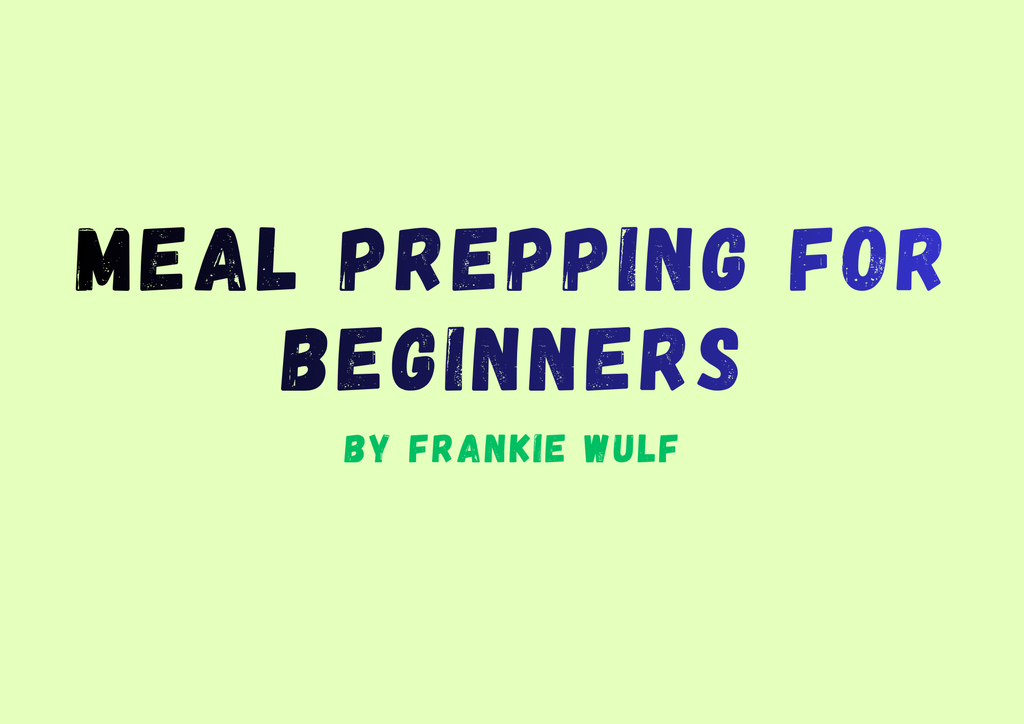
My name is Frankie Wulf and today I’ll be sharing tips about meal prepping for beginners.
Visual 1
Make: on-screen text “Meal Prepping for Beginners”, title-card style.
Narration 2
Meal prepping is a useful way to save time, money, and improve your overall nutrition. I grew up in a household where leftovers were a staple.
Visual 2
Record: A-roll, myself speaking to the camera.
Narration 3
Having two parents who both worked full-time meant there wasn’t time to cook fresh dinners. As a full-time college student working two jobs, I’ve found myself with similar time constraints.
Visual 3
Find: Stock footage of microwaving food.
Narration 4
On top of a lack of time, I’ve also got a limited budget. Enter meal prepping.
Visual 4
Find: Stock video of counting money.
Narration 5
[Sound of chicken being fried in a pan.]
Visual 5
Find: stock footage of frying food.
Narration 6
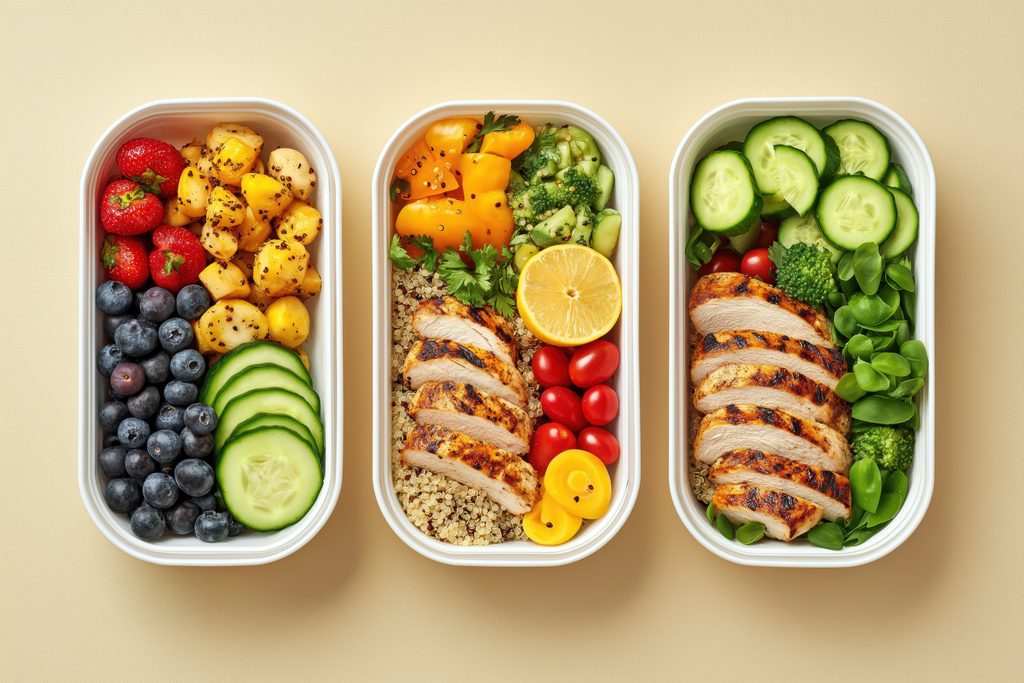
So, where to start? In my experience, meal prepping is best done at night. The goal is to cook a big dinner that can be packed away and reheated for lunch and dinner the rest of the week. Almost any food can be meal prepped, as long as it’s got a shelf life (when cooked) of at least 3 days. Foods that spoil quickly, like leafy greens and raw fish, should generally be avoided.
Visual 6
Record: B-roll, setting out tupperware containers on the counter.
Make: screenshot of the FDA refrigeration guidelines page.
Narration 8
Other than shelf life, recipe yields are something to take note of. You’ll want to find recipes producing four portions at minimum. I usually search for budget-friendly recipes designed to feed families. You can find meal prep recipe ideas in books (I like The Healthy Meal Prep Cookbook by Toby Amidor) or online (my favorite recipe-sourcing websites include BudgetBytes and The Pioneer Woman). They’re easy to follow and make delicious results.
Visual 8
Find: stock footage of someone looking through a recipe book.
Narration 9
[Sound of water being boiled in a pot.]
Visual 9
Find: stock footage of boiling water over a stove.
Narration 10
The cost-effective and time-saving nature of meal prepping makes it a suitable way of preparing food for anyone, regardless of what point of their life they’re at. Meal prepping has benefits for everyone. And if you’re still not convinced, try meal-prepping for yourself and experience the results in real time.
I spent 15 years in the U.S. Marine Corps and during that time my friends and I experienced near daily hilarious situations. These stories, often referred to as “Sea Stories” (tall tales) were often told to an audience in designated smoking areas. We believed these stories were unique to the Marine Corps and could, in a funny way, make the branch more…or less…relatable. At some point I started to keep a notebook of my own stories and the ones I picked up while transiting smoke pits. Since most of us didn’t really want our name put into the public, it was a no brainer that the narrator should be a nameless Gunnery Sergeant or “Gunny”. Gunnys are unique to the Marines and often used to symbolize the Corps as a whole. If you want to learn more about Gunnery Sergeants, check out Battle Order’s web post about the Origin of the Gunnery Sergeant.
Episode 1: Deer Choke
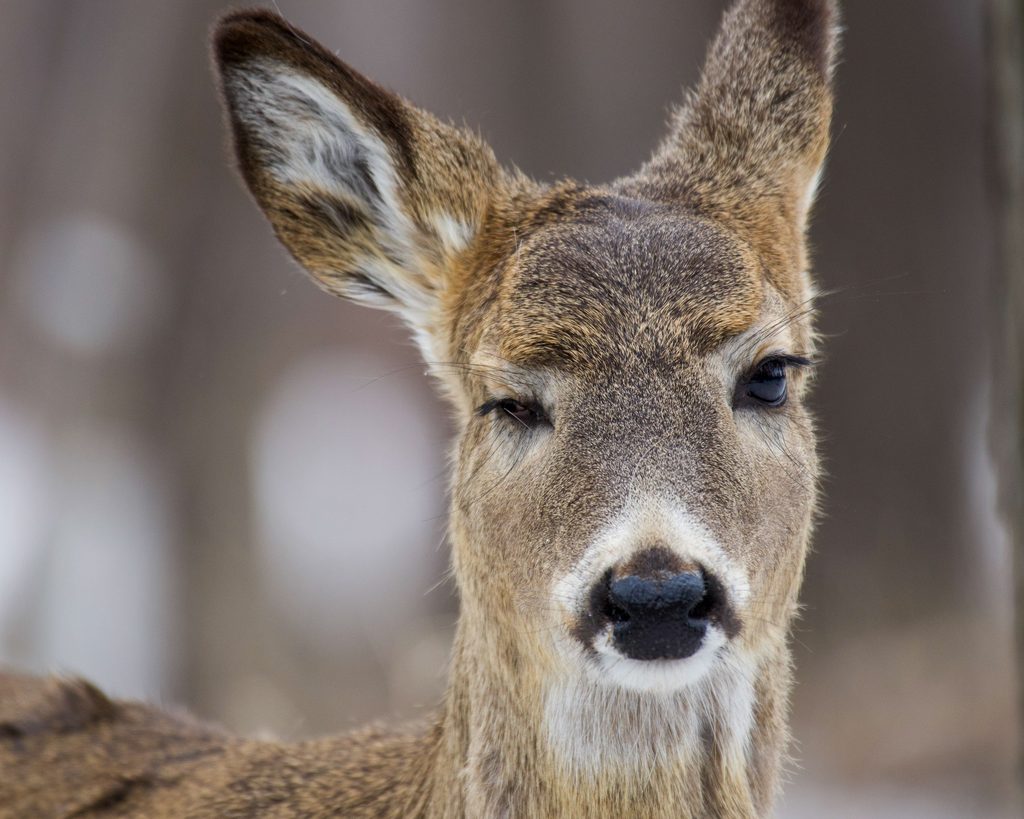
Whitetail Deer by Andrew Patrick found at www.pexels.com
Project Process
Since I have never recorded or edited audio before I had to rely on what was already free and available. All of the audio recording was done by my Samsung S22. I downloaded a voice recording app and got to work. My two sound effects clips were done by holding my phone next to the sound I was trying to capture. For the first, I held it close to ground as I walked through some under brush. For the second I just held it in my hand as I turned the keys in the ignition, opened, and closed the door of my truck. For the narration, I found a quiet room and just spoke into the phone. I was surprised by how well my phone seemed to work. Once I was satisfied that I recorded enough content, I saved all of the clips to my laptop. From there I uploaded all of them onto soundtrap.com which I found to be rather intuitive. I was able to adjust the length and order of each clip to make it fit the 2 minute requirement. It didn’t take long for me to learn how to fade certain sound effects or music clips as narration began. If anyone is interested in making podcasts, I highly recommend Sound Trap, its free and really easy to learn.
Credit/Attributions
While editing in Sound Trap I found that there was a toolbar on the right hand side of the site called Sound Library where they offered a lot of melodies for free. In there I used: Drums – Rock Basic Beat 8ths 5, for my intro and outro music. For the banjo effect when learning that Marines had went after the injured deer, I used: Wildfire – Woo (Banjo) E. All of the voice acting was done by me Rob Hatch. The person that wrote the story wishes to remain anonymous, so he’ll just be known as: Gunny.
For context to the “I am green belt” reference, the Marines have their own recognized martial arts discipline known as the Marine Corps Martial Arts Program (MCMAP). MCMAP is a program that every Marine is required to participate in and information about the program can be found at marines.mil the official program web page.
I also want to offer an explanation as to why the fall season was relevant to the behavior of deer. If you are a hunter or grew up around deer hunting, you would consider this to be common knowledge. But for those who do not; male deer (bucks) in the fall months, Sept-Nov will have higher levels of testosterone. So during their breeding season, bucks will often chase females, sometimes into traffic, in an attempt to mate. For a more detailed explanation of deer behavior, the deeranddeerhunting.com web article Behind the Hide is an excellent source.
Transcript
[Drum Music]
00:00:01 Narrator
Welcome to Gunny’s Sea Stories and Smoke Pit Odysseys, where I share stories about daily life in Marine Corps. This story is called Deer Choke. It was a fall day right in the middle of hunting season on Camp Lejeune. A few deer jumped out into the road. A car going the other direction couldn’t avoid it and smashed into one of them. So I turned around, and by the time I walked up, the driver was on the phone.
[sounds of a car door opening and closing]
00:00:33 Narrator
He covered the mouthpiece of his phone and said:
00:00:37 Driver
“I’m on the phone with the MPs.”
00:00:37 Narrator
I nodded and started looking around. That’s when I noticed another car was there, but no one was inside and no one was around either. I looked back at the guy on the phone and asked where they went.
00:00:47 Driver
“That deer I hit was still alive but dragging its back legs. I think they went in after it.”
00:00:51 Narrator
I must have made an exacerbated look on my face. Because before I could say anything, he shrugged his shoulders and said:
00:00:55 Driver
“I have no idea what they’re doing, Gunny.”
[Banjo music plays]
00:01:01 Narrator
Oh, now my Spidey senses are going off. So I follow that trail they left. As I got close, I could hear them talking.
[Sounds of running and crashing through brush]
00:01:10 Unnamed Marine
“Hey, don’t worry. I’m a green belt. I’ve got this.”
00:01:15 Narrator
When I got there, I saw a Marine standing over a deer with both his hands wrapped around its neck, performing a cartoonish looking choke. So I yelled: “whoa, stop, what are you doing?” And without letting go, he just simply looks up at me and says:
00:01:28 Unnamed Marine
“well gunny, we gotta put it out of its misery.”
00:01:32 Narrator
I hold my hand up and I say: “oh my god, no, not like that we aren’t. Let go of that poor thing.” They tried to protest, but I assured them that I’d call the game warden. Then I thanked them for their service and I sent them on their way.
00:01:43 Narrator
I can’t believe what I just saw. This is the last thing I had on my bingo card for this afternoon.
[Drum Music]
00:01:50 Narrator
If you liked this story and would love to hear more, stay tuned for next week.
This was Gunny’s Sea Stories and Smoke Pit Odysseys. I’ll see you all next time.
For my podcast, I talked about tea. To be specific, I talked about the science behind tea. It is a 2-minute educational podcast that briefly discusses the origins and the making of tea. My podcast is titled, “The Science Behind the Perfect Cup of Tea”.
Pre-Production
Researching
To start out, I had to do my research on tea. I searched for what I specifically wanted to talk about which was where tea came from and the process of its creation. I found a lot of useful information from theses two websites:
In those websites they discussed that tea came from a plant from Asia called camellia sinensis. It goes into depth on the process of its making. First it is harvested, then laid out to dry, and rolled to release enzymes and stimulate oxidation. This is all done to affect the color, strength, and taste of the tea. They also gave guides on how to boil tea so it can be of best quality.
Outline
After gathering all the information I needed, I started to write my script. While writing it, I kept in consideration of where I wanted to insert sounds and add music for my intro and outro. Since I needed it to be 2 minutes long, I kept editing it to match the time limit. I even recorded myself speaking and waited 10 seconds twice, imagining the intro and outro playing. I made sure to insert when I wanted to insert the sounds that I would record.
Here is my transcript:
Me: Hello, everyone. I am Mariam and in this podcast we will be discussing the science behind a perfect cup of tea.
*Music plays (10 seconds)*
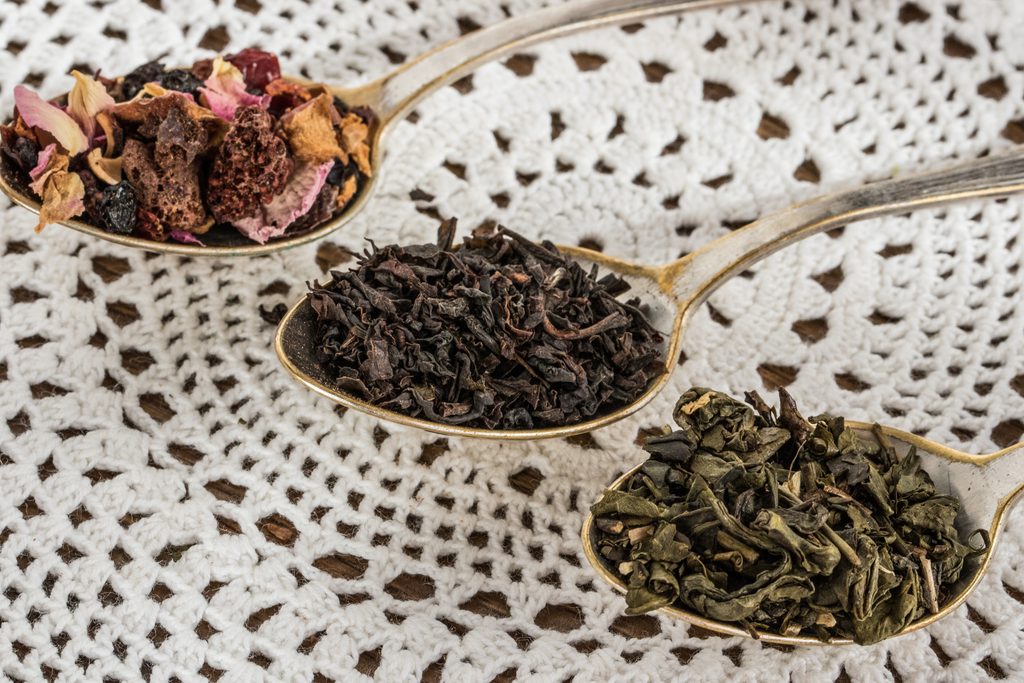
Me: All tea, whether it’s black, green, white, oolong, or Pu-erh, comes from Camellia sinensis. Camellia sinensis is a sub-tropical plant that is native to Asia. Fun fact: mint and chamomile tea are not actual teas because they do not come from camellia sinensis. Now, how is tea made? First, after the leaves are harvested, they are laid out to dry then rolled.
*rolling leaves sound*
Me: This is so the leaves can release enzymes and stimulate oxidation. Things like the color, strengths, and taste of the tea are all determined by how long the leaves are exposed to oxygen. Did you know that the water quality and the temperature used to boil the tea affects the quality of the tea? It is best to use softer water because it creates a cleaner taste. The temperature should be adjusted depending on the type of tea. Lighter teas such as white and green tea should be boiled at a lower temperature, while stronger teas such as black tea should be boiled at a higher temperature.
*boiling sounds*
Me: Getting the temperature right isn’t just about taste; it ensures you maximize the beneficial antioxidants and polyphenols in every cup.
*sound of water poured into a cup*
*ends with song (10 seconds)*
Production
Recording
I used my phone to record my voice and the sounds. Before I recorded my voice, I wanted to decide on the vibe that I wanted to go for. This was important because the vibe of the podcast would be determined by things like the tone of my voice and the type of music that I picked. Since tea usually makes you calm, I decided on a calm-like theme. So I spoke softly and quietly. For the sounds, I recorded them using objects and tools near by my house or in my house. The first thing I recorded was a water pouring sound. I did that by pouring a full cup of water into another cup. The second sound I recorded was a bubbling water sound. That was created by blowing into a cup of water with a straw. It is supposed to imitate water boiling. The last sound I recorded was rolling a leaf. I went outside and picked up a crunchy leaf because during the process of making tea, a dried leaf is rolled.
Post-Production
Editing
The editing platform I used was Soundtrap. In the website, I first imported my recordings, then inserted the sounds I created where I wanted to. I made sure to adjust the volumes so that the sounds don’t overtake my voice. After doing that, I tackled my intro and outro. First, I had to find a song that can fit the vibe of my podcast and that was royalty-free. The song that I picked was Silent Descent by Eugenio Minnini and the website I got it from was:
To insert the song in the recording, I first split the voice recording after I introduced myself and the podcast name and then split the song after 10 seconds to insert in between the two split voice recordings. I then used the fade feature at the end of the song so it sounded smoother when it transitioned back to my speaking voice. The final thing I did was duplicate the 10 second song audio and put it at the end for an outro.
For this project, I decided to create a short podcast about how technology has changed our everyday lives. Technology is something we use almost every day, whether it’s for communication, education, work, or entertainment. As an applied physics student, I find technology interesting because it connects to many things I study in college. In my podcast, I talk about how technology has made our lives easier, especially when it comes to communication and education, while also discussing some of the challenges that come with it. My podcast is approximately 2 minutes and 8 seconds long.
Podcast Outline
I divided my podcast into different sections and added music and sound effects to make the recording more interesting.
0:00–0:08: Intro music to introduce the podcast.
0:08–0:33: Introduction about technology in everyday life.
0:33–0:35: Phone notification sound effect.
0:35–0:59: How technology has changed communication.
0:59–1:02: Keyboard typing sound effect.
1:02–1:47: How technology has affected education, work, and everyday life.
1:47–1:59: Conclusion and final thoughts.
1:59–2:08: Outro music to end the podcast.
Podcast Script
Introduction
Have you ever thought about how much technology has changed our lives? Think about it. The first thing many of us do when we wake up is check our phones. We use technology to communicate, study, work, and entertain ourselves. Today, I want to talk about how technology has changed our everyday lives and why it’s become so important.
Communication
One of the biggest changes is communication. Years ago, people depended on letters and landline phones. Today, we can text, make video calls, or connect with someone across the world in seconds. I think it’s amazing how technology allows us to stay connected with family and friends, even when they live far away.
Education and Technology
Technology has also changed education. As a college student studying applied physics, I use computers and different programs almost every day. For example, technology helps me analyze data, create graphs, and understand difficult concepts in physics. It has also made working from home and collaborating with people in different locations much easier. Technology makes everyday life more convenient. We can use GPS, shop online, and find information within seconds. But there are also challenges. Sometimes we spend too much time on our phones, and misinformation spreads quickly online. I believe it’s important to find a balance and use technology responsibly.
Conclusion
Finally, technology has made our lives easier and more connected. I’m excited to see how it continues to change our future.
Thanks for listening!
Recording and Editing Process
For my podcast, I wanted to make sure my voice was clear and easy to understand. I organized my recording into different sections to make editing easier. I also used music at the beginning and end to give the podcast a more complete feel. I added a phone notification sound before talking about communication and a keyboard typing sound before discussing education. I chose these effects because they connect to what I was talking about and help transition between the sections. For my recording, I used Razor X headphones, and I edited the audio using Cap cut and Audacity.
Working on this project helped me learn more about recording and editing audio. One thing I noticed was how important timing is, especially when trying to keep a podcast around two minutes long. I also learned how music and sound effects can make a recording more interesting without distracting listeners from the main message. This project gave me an opportunity to talk about something that connects to my major while practicing a new way of sharing information online.
Audio Recording
You can listen to my podcast and access my audio recordings using the link below.
While I was in the Marine Corps I started to keep a note book of the funny stories that either my friends or I experienced. The criteria for making it into the notebook was that we all agreed it was a “only in the Marine Corps” kind of story. I used to joke that I would publish it as a coffee table book one day. I decided to use one of those stories for this podcast. This one is called: Deer Choke.
Script
Since the story was just a rough draft, I decided to break it up by the intro/outro, sound effects, narrator, and character voices. This helped to make sure that I knew when it was time to change voices and I would take a few second pause between each voice or line to make it easier during editing.
Recording
I only used my phone since I don’t have any other recording devices. I have a voice recorder app that I have used frequently in the past. To record the desired sound effects, I held my phone close to the ground when walking through the woods or the car sounds until I felt it was good. For the voice recording, I found a quiet room away from everyone and would replay and re-record until I felt they were good enough to work with in editing. If you are interested in what the rough recordings sound like or the script looks like you can see them on my UMW OneDrive project folder.
For my podcast topic, I decided to talk about tea. In the podcast, I discussed facts about tea such as its origins and benefits. The podcast is meant to be educational, which is why I did research on the topic. The goal was to make something simple and short due to the limited time the audio recording could be. My title for the podcast episode is “The Science Behind the Perfect Cup of Tea”.
The Making of the Podcast
The Script
I thought it would be a good idea to start off with making my script. Since I decided to make it educational, I first did my research. I got my information from sciencefocus.com and sciencelearn.org, where I learned a lot about tea. After putting down the information I got from those websites, I formatted my script in the way I wanted it to go. I kept in mind the sounds I wanted to incorporate and the music I wanted to put for the intro and ending of the podcast. I even used my phone to record me practicing reading out loud to make sure I am hitting the time limit of two minutes.
Recording and Editing
After I was satisfied with my script, I went to doing the recording. The equipment I decided to use for recording was my phone because it is free and convenient. The first thing I did was record my voice reading the script. It took a couple times to get it right, I even did some test runs. The vibe I wanted to go with was a calm one, so I spoke softly and slowly. Later on, I recorded the sounds I would use. I recorded pouring water into a cup, blowing into a cup of water with a straw to replicate water boiling, and I even got a leaf outside and recorded me rolling it. After all that, I went to editing. The editing software I used was Capcut. I have been using that software since high school for other class assignments. It is easy to use and a lot of the things on the app are free. I found the music on www.bensound.com for my intro and outro.
Credits and Attributions
Websites
Here are the two websites I used as sources for my research:
Song: As Your World Grows Smaller https://www.bensound.com Artist: Diffie Bosman License code: 4YDNK84GDKIXNUKU
Final Product
Transcript
This is my transcript that I used for my audio recording:
Me: Hello, everyone. I am Mariam and in this podcast we will be discussing the science behind a perfect cup of tea.
*Music plays (10 seconds)*
Me: All tea, whether it’s black, green, white, oolong, or Pu-erh, comes from Camellia sinensis. Camellia sinensis is a sub-tropical plant that is native to Asia. Fun fact: mint and chamomile tea are not actual teas because they do not come from camellia sinensis. Now, how is tea made? First, after the leaves are harvested, they are laid out to dry then rolled.
*rolling leaves sound*
Me: This is so the leaves can release enzymes and stimulate oxidation. Things like the color, strengths, and taste of the tea are all determined by how long the leaves are exposed to oxygen. Did you know that the water quality and the temperature used to boil the tea affects the quality of the tea? It is best to use softer water because it creates a cleaner taste. The temperature should be adjusted depending on the type of tea. Lighter teas such as white and green tea should be boiled at a lower temperature, while stronger teas such as black tea should be boiled at a higher temperature.
*boiling sounds*
Me: Getting the temperature right isn’t just about taste; it ensures you maximize the beneficial antioxidants and polyphenols in every cup.
[Speaker: Frankie Wulf] My name is Frankie Wulf and today I’ll be sharing tips about meal prepping for beginners. Meal prepping is a useful way to save time, money, and improve your overall nutrition. I grew up in a household where leftovers were a staple. Having two parents who both worked full-time meant there wasn’t time to cook fresh dinners. As a full-time college student working two jobs, I’ve found myself with similar time constraints. On top of a lack of time, I’ve also got a limited budget. Enter meal prepping.
[Sound of chicken being fried in a pan.]
So, where to start? In my experience, meal prepping is best done at night. The goal is to cook a big dinner that can be packed away and reheated for lunch and dinner the rest of the week. Almost any food can be meal prepped, as long as it’s got a shelf life (when cooked) of at least 3 days. Foods that spoil quickly, like leafy greens and raw fish, should generally be avoided. When in doubt, I’d recommend referencing the refrigeration guidelines set by the FDA to play it safe.
Other than shelf life, recipe yields are something to take note of. You’ll want to find recipes producing four portions at minimum. I usually search for budget-friendly recipes designed to feed families. You can find meal prep recipe ideas in books (I like The Healthy Meal Prep Cookbook by Toby Amidor) or online (my favorite recipe-sourcing websites include BudgetBytes and The Pioneer Woman). They’re easy to follow and make delicious results.
[Sound of water being boiled in a pot.]
The cost-effective and time-saving nature of meal prepping makes it a suitable way of preparing food for anyone, regardless of what point of their life they’re at. Meal prepping has benefits for everyone. And if you’re still not convinced, try meal-prepping for yourself and experience the results in real time.
How It’s Made
Recording this podcast was low-budget and required only some creativity. I used my smartphone as my recording device (with the Voice Memo app) and the back seat of my car as my recording studio (as well as my kitchen stovetop). To edit the podcast, I used the free browser-based program Soundtrap exclusively.
I decided to make the topic of my podcast about meal prepping. Meal prepping is an important way of life for me, and has saved me both time and money. I think trying to convince my peers (and others) to meal prep at home by their own plans– rather than rely on fast food, delivery services, or even expensive meal prep services like HelloFresh– is a worthy cause that can benefit everyone.
The Recording Process
To save time and effort, I chose to use my smartphone as my recording device through the Voice Memos app. I have recorded “podcasts” in the past in my car, so I was already aware of its efficiency as a recording studio. Initially I recorded one take of my script reading in my bed to figure out how long it would take me to read each part. I then moved to my car (at night so the parking lot was quiet) and recorded in the driver’s seat. There were some issues with sounding overly-muffled, which I realize had to do with my voice bouncing off the windshield. I then moved into the rear seat and put my phone on the floor behind the passenger seat– essentially enclosing it with seats/the car door on all sides. I leaned over my phone and spoke into it. This produced the best audio takes yet, with no echo or trace of muffling.
There were some trials and errors with recording the sound effects, too. I waited until my roommates weren’t hope and recorded the sound effects in the kitchen. I took a leftover omelet, doused a frying pan and oil and fried it. Due to the flat surface area of the omelet, I realized it didn’t produce the crisp crackling/frying sound I was looking for. I then put a single chicken nugget in the super-hot pan and produced an adequate crispier crackling sound effect. I also boiled a pot of water, but realized a rolling boil sounded more like a hiss than a bubble. I decided to mix old alfredo sauce with the water to thicken it, and it produced the pronounced bubbling sound effect I was looking for.
Click here for the link to the OneDrive folder housing my script and sound effect recordings. Included in this file is a folder containing audio bloopers/mess-ups for the sake of authenticity.
My Script/Outline
[This educational monologue will be recorded using my smartphone in my car. I have chosen my car as it is an enclosed space with minimal echo and decent soundproofing. I have used my car as a recording studio in the past with excellent results.]
*** Time markers are estimated. Exact time markers will be determined after editing.
8-17 seconds: My name is Frankie Wulf and today I’ll be sharing tips about meal prepping for beginners. Meal prepping is a useful way to save time, money, and improve your overall nutrition.
18-35 seconds: I grew up in a household where leftovers were a staple. Having two parents who both worked full-time meant there wasn’t time to cook fresh dinners. As a full-time college student working two jobs, I’ve found myself with similar time constraints. On top of a lack of time, I’ve also got a limited budget. Enter meal prepping.
36-41 seconds: [Sound of chicken being fried in a pan, recorded by myself with my smartphone in my kitchen.]
41-68 seconds: So, where to start? In my experience, meal prepping is best done at night. The goal is to cook a big dinner that can be packed away and reheated for lunch and dinner the rest of the week. Almost any food can be meal prepped, as long as it’s got a shelf life (when cooked) of at least 3 days. Foods that spoil quickly, like leafy greens and raw fish, should generally be avoided. When in doubt, I’d recommend referencing the refrigeration guidelines set by the FDA to play it safe.
74-96 seconds: other than shelf life, recipe yields are something to take note of. you’ll want to find recipes producing four portions at minimum. I usually search for budget-friendly recipes designed to feed families. You can find meal prep recipe ideas in books (I like The Healthy Meal Prep Cookbook by Toby Amidor) or online (my favorite recipe-sourcing websites include BudgetBytes and The Pioneer Woman). They’re easy to follow and make delicious results.
104-109 seconds: [Sound of water being boiled in a pot, recorded by myself with my smartphone my kitchen.]
109-116 seconds: The cost-effective and time-saving nature of meal prepping makes it a suitable way of preparing food for anyone, regardless of what point of their life they’re at. Meal prepping has benefits for everyone. And if you’re still not convinced, try meal-prepping for yourself and experience the results in real time.