Final Project Course Concepts

black heart with yellow podcast mic

Accessibility

Being accessible when designing a website is “the right thing to do.” If my website is the most user-friendly, then everyone in the world can enjoy it! When picking color schemes for my website I had to make several changes. I had the text over the header a lighter yellow, but it did not have enough contrast, so I had to make it a darker yellow. When I designed the favicon, I had a transparent background from the podcast cover that I created, but it also did not have enough contrast to be able to notice what it was well. Because of this, I made it black, so it has a contrast to the header photo as a site logo as well as the icon on the website tab. I was able to develop a transcript for all episodes of my podcast to make it more accessible to disabled persons that have the inability to hear it. I used alternative text for all images on my site and in my blog posts for the accessibility of visually impaired persons. Headers were used in all of my blog posts to allow readers to effectively find information and also allows listeners using screen reader to acknowledge that a different topic is being presented.

Media & Source Credit

I gave credit to my media and sources within my blog posts.

In the “Welcome to the Home of the Journey to Self-Discovery Podcast!” blog post the image provided is created by me using Canva. In the “About The Podcast Host,” blog post the image provided was one that a school photographer took of me at an awards ceremony. In the “Episode 1,” blog post the image is by Rosy / Bad Homburg / Germany from Pixabay. The intro and outro music were by Dana Music from Pixabay. The recorded sound was a clip from a motivational speech by Lisa Nichols published on YouTube by Flow Arcade. I also added two sources: How to Begin Your Self-Discovery Journey and Exploring self-discovery in the college years, to provide my listeners with articles relating to beginning their journeys especially through the college years. In the “Episode 2,” blog post the image was taken by my friend at an awards ceremony. The intro/outro and background music were by Dana Music from Pixabay. In the “Episode 3,” blog post the image is by Waldryano from Pixabay. The intro/outro and background music were by Dana Music from Pixabay. The quotes from Lisa Nichols’s speech are from the video Lisa Nichols Left The Audience Speechless video published on YouTube by Flow Arcade.

I used Microsoft Co-pilot for ideas on a website tagline. Below is my conversation with Co-Pilot.

Me: Can you give me a webiste tagline for my journey to self-discovery podcast website

Co-Pilot: Absolutely! Here are a few tagline ideas for your self-discovery podcast website:

1. **"Unlock Your True Potential"**
2. **"Journey Within, Discover Beyond"**
3. **"Empower Your Inner Self"**
4. **"Explore, Evolve, Empower"**
5. **"Your Path to Personal Growth"**

Do any of these resonate with you? If you have a specific theme or focus for your podcast, I can tailor the tagline even more!

Me: the podcast is telling my story of journey to self-discovery

Co-Pilot: That sounds like a powerful and personal podcast! Here are a few tagline ideas that reflect your journey to self-discovery:

1. **"My Path to Self-Discovery"**
2. **"Unveiling My True Self"**
3. **"A Personal Journey Within"**
4. **"Finding Myself, One Episode at a Time"**
5. **"My Story of Growth and Transformation"**

Do any of these capture the essence of your podcast? If you have any specific elements or themes you'd like to highlight, let me know and I can refine the taglines further!

Information Accuracy

Most of the information provided is from my personal life experiences. I felt I was equipped to speak on the topic of self-discovery because I have been on my journey for as long as I have since I graduated high school in 2019 and struggled to find my way. The sources I used to add some detailed information on starting a self-discovery helps really lay out the process and the benefits to the listeners and readers. I wanted my podcast to come from the heart. This is something I am really passionate about inspiring others to do that I knew words would just start to flow as I spoke in each episode. The information is true to me, and I wanted to introduce my authentic self to the world in hopes my story will inspire others.

Copyright License

I chose the CC BY-NC-ND 4.0 license because I did not want anyone taking my ideas and changing them in any way. This is my life story to share, and I wouldn’t want any of it misconstrued. I also would not want anyone using it for commercial purposes to make money. If they would like to share it, I would love that! However, if it is shared, I picked this license because I want anyone doing so to put a direct link to my website, so that the viewer knows exactly where it came from and can explore my site.

Website Construction Process

  1. I created a subdomain called “journey to self discovery podcast” and installed WordPress on it.
  2. I chose the Miniva theme for my site because I liked the simplicity of the example website from my contract.
  3. I then designed a podcast cover using Canva that I used in my welcome blog post and as the header background on the site.
  4. I then designed a site logo and favicon using Canva.
  5. Next, I created my site Categories to include a Home page, About page, and Episodes page with links to each episode.
  6. I played around with the color of the header text to add more contrast to it for the viewer to see better and changed the color of link/accents.
  7. I added a footer widget to include my copyright license.
  8. Finally, I designed and created my Welcome blog post and published it under the Home category.
  9. I then created my About me blog post and published it under the About category.
  10. Lastly, I recorded, edited, and embedded all 3 episodes of my podcast into blog posts and published them under the Episodes category each with their own tab.
  11. The equipment that I used for the podcasts was a lapel mic. The podcasts were recorded via voice memo on an iPhone. I used Soundtrap to edit the audio.

Final Project Site

Erin’s Final Project Site

Data-Driven Storytelling

Education Interrupted: Drop in # of Students per Dept at UMW

Infographic portraying how covid-19 affected the number of students at the University of Mary Washington

Topic Selection

I picked this data set because I wanted to focus on the number of students in each department before and after COVID-19 drastically changed the school system. COVID-19 was in its prime in early 2020 and I believe it led to a decline in the number of students enrolling in college classes. To my surprise it was not as drastic of a change as I thought it would be. I found the data for number of students per dept on the Grade Distribution Report – Institutional Analysis and Effectiveness from the 19-20 and 20-21 reports.

Media Reflection

I chose to create an infographic so that I could portray pictures of college life before and after COVID-19. I feel like this really tells the story of the decline in students and also throws the numbers out there to really hit home.

Process

Canva made the process of creating the infographic pretty simple. Luckily, I have used Canva before, so I just had to do some playing around with it to create a template that looked decent. All of the little touches to the infographic and some of the background pictures came from searching through the provided images tab on Canva.

Credits

At first, I wanted to give video production another shot, and I used Copilot to give me some ideas, but I was not feeling creative enough for it. Here is the conversation:

Me: can you give me ideas on creating a short video incorporation visual imagery relevant to telling the story of how Covid-19 affected the number of college students continuing their education

Copilot: Creating a short video to tell the story of how COVID-19 affected college students' education can be powerful and impactful. Here are some ideas to help you get started:

### 1. **Introduction**
- **Opening Scene**: Start with a montage of bustling college campuses pre-pandemic, showing students attending classes, socializing, and participating in campus activities.
- **Title Screen**: Display the title of your video with a somber background music to set the tone.

### 2. **Impact of COVID-19**
- **Visuals**: Use news clips and headlines about the pandemic's onset and its impact on education.
- **Statistics**: Incorporate graphs and charts showing the decline in college enrollment and the shift to online learning.

### 3. **Student Experiences**
- **Interviews**: Feature short interviews with students discussing their personal experiences, challenges, and how the pandemic affected their education plans.
- **B-Roll Footage**: Show students attending virtual classes, studying at home, and dealing with the isolation.

### 4. **Challenges Faced**
- **Visuals**: Highlight key challenges such as financial difficulties, mental health issues, and lack of access to technology.
- **Quotes**: Use impactful quotes from students, educators, and experts to emphasize these challenges.

### 5. **Adaptation and Resilience**
- **Success Stories**: Share stories of students who overcame obstacles, adapted to new learning environments, and found innovative ways to continue their education.
- **Visuals**: Show students participating in virtual graduations, online study groups, and other creative solutions.

### 6. **Future Outlook**
- **Expert Opinions**: Include insights from educators and experts on the long-term effects of the pandemic on higher education.
- **Hopeful Imagery**: End with hopeful visuals of students returning to campus, engaging in hybrid learning, and looking forward to the future.

### 7. **Conclusion**
- **Call to Action**: Encourage viewers to support initiatives that help students continue their education.
- **Credits**: Roll credits with acknowledgments and any additional information.

### Additional Tips
- **Music**: Choose a soundtrack that matches the emotional tone of your video.
- **Transitions**: Use smooth transitions between scenes to maintain a cohesive flow.
- **Subtitles**: Add subtitles for accessibility and to ensure your message reaches a wider audience.

Would you like more detailed suggestions on any specific part of the video?

Me: could you make me an infographic on that topic

Copilot:
Me: what should the title of the project be

Copilot: Sure! Here are some more title options for your project:

1. **"Education Interrupted: The COVID-19 Impact on College Students"**
2. **"Pandemic and Progress: Navigating College During COVID-19"**
3. **"From Campus to Screen: How COVID-19 Changed College Education"**
4. **"Resilience in Education: College Students Amidst the Pandemic"**
5. **"Learning in Lockdown: The College Experience During COVID-19"**
6. **"Adapting to Change: College Life in the Age of COVID-19"**
7. **"The New Normal: College Education Post-COVID-19"**
8. **"Challenges and Triumphs: College Students' Journey Through the Pandemic"**
9. **"Virtual Classrooms: The Shift in College Education Due to COVID-19"**
10. **"Surviving and Thriving: College Students' Stories During the Pandemic"**

Do any of these titles resonate with you, or would you like more options?

Instead, copilot gave me some inspiration for an infographic and a title, and I took it and ran with it. Other credits for the UMW images in the infographic come from the departments’ Facebook accounts:

UMW Historic Preservation Club | Fredericksburg VA | Facebook

UMW Music | Fredericksburg VA | Facebook

UMW Modern Languages and Literatures | Fredericksburg VA | Facebook

For the logo next to the title on the infographic I found a UMW logo on their website:

Logo UMW-Monogram

Happy Learning!

Data Project Checkpoint

Number of Students Per Dept at UMW in Fall 2019 vs. Fall 2020

Dataset Source

I found the data for number of students per dept on the Grade Distribution Report – Institutional Analysis and Effectiveness from the 19-20 and 20-21 reports.

Charts

2 charts comparing the number of students in each department at UMW in Fall 2019 and Fall 2020

Data File

Here is a link to my spreadsheet where I created the pivot tables and charts: Data Project Spreadsheet. Before I copied the pivot table and chart over to one spreadsheet this is where I organized the Fall 2020 data: Data Project Spreadsheet 2.

Data Trend Analysis

I picked this data set because I wanted to focus on the number of students in each department before and after COVID-19 drastically changed the school system. COVID-19 was in its prime in early 2020 and I believe it led to a decline in the number of students enrolling in college classes. To my surprise it was not as drastic of a change as I thought it would be. The departments that declined in students the most were: Historic Preservation, Music, Modern Language and Literature, Business, and Theatre and Dance. There were some departments that rose in students, but it only ranged from about 5-15. The departments like Music and Theatre and Dance are not surprising that they dropped students because it requires them to interact and be in person. When analyzing this data, I thought for sure that the sciences would be affected more because of the in-person lab classes. Although, I do believe that the school systems especially at the university level did a great job at adapting to the situation at hand to ensure that students could continue their education. Overall, there was a decline of 2,835 students between the Fall 2019 and Fall 2020 semesters.

How Did I Find and Organize This Data?

I worked with the Grade Distribution Report listed on UMWs website. I was able to download both the 19-20 and 20-21 school years reports as an excel sheet. I then formatted it into a table and analyzed the table to determine which information I wanted to focus on. I deleted some rows and the other sheets that I knew I would not be using. I then created a pivot table in a new worksheet, so that I could just focus on the rows for departments and number of students. When it listed departments it gave a row that is called blank, so I went back to my other sheet and deleted those rows that did not list a department and refreshed my pivot table. I then took the information from the pivot table and had Excel generate a chart for me. I did this on both school years reports and copy and pasted the pivot table and chart onto one sheet to consolidate it all and compare.

Happy Learning!

Final Project Idea

For my final project I would like to create 2 more episodes of my podcast. I feel as though I can be more successful in this because I found it more engaging, compared to the other projects, to work with audio. I am passionate about my podcast topic and really wanted to talk more about it but was only allowed to for 2 whole minutes (so sad). But now I can!

Video Project

Topic

This is a passionate topic for me because this journey is what made me the person that I am today. I am able to understand my strengths and weaknesses and continue to challenge myself and grow each and every day. Learning the leadership qualities along the way has taken me down the path to acquiring a passion for guiding others towards their same journey. Helping others allows you to feel accomplished, in turn giving you more confidence in your abilities to keep growing as a person. You can learn more about this in the article The Secret to Personal Growth: Why Helping Others is the Ultimate Strategy. Your journey starts with making small goals to be a better version of yourself every day. The article Your journey to self-discovery discusses the importance of self-discovery and multiple approaches to the journey.

Process

The process was pretty difficult especially because I am portraying a story from the past. A lot of the images I included did not import to the video in good quality, but they were the pictures I wanted to use. I had to use a lot of existing images and videos because it helped explain the concept well. However, I enjoyed creating the videos that I did take though. I used a tripod and the cinematic mode on my phone to capture the video because I have some experience with it already. It was my first time sort of “acting” so that was definitely interesting, but cool! I used Clipchamp to edit because the tutorial videos I watched made it a breeze to understand how to use. I picked YouTube as my streaming platform because I have posted on there years ago and it is a pretty simple process. I was having trouble with the captions for the video on YouTube, so I used a website called Happy Scribe to create the video’s subtitles.

Credits

Title graphic- Made by me in Canva

People walking- Video by JEONGWOO KIM from Pixabay

Two black and white images- Image by Pexels from Pixabay and Image by Gerd Altmann from Pixabay

Community college pictures- Taken by various photographers hired by the school

Ceremony video- Taken by my mom

1st speech video- Taken by my friend Emma

Awards ceremony pictures- Taken by various photographers hired by the school

2nd speech video- Taken by my mom

Ending graphic- Made by me in Canva

Happy Learning!

Video Project Checkpoint

Shot List

Scene 1 
Shot Type: Graphic
Notes: Title Card created in Canva- Hey everyone and welcome to the Journey to Self-Discovery Podcast.

Scene 2
Shot A
Location: Wilderness
Shot Type: Medium Wide Shot
Camera: Tripod
Notes: Hiking video- My name is Erin and today I am going to share my journey through discovering who I am and who I am meant to be.

Scene 3
Shot Type: Online video
Notes: People walking- I believe a lot of college students can benefit from support as they navigate their formative years in college and decide what their goals and passions are as well as discovering strengths that make them who they are.

Video by JEONGWOO KIM from Pixabay

Scene 4
Shot B
Location: Residence Hall Lobby
Shot Type: Wide, Medium, and Close Up Shot
Camera: Tripod
Notes: Wide Shot of me sitting in a corner looking at the camera, medium shot of me turning my head and close up shot of me putting my head down- I will give you a short back story to my journey. I grew up shy, insecure, and full of doubt within myself.

Scene 5
Shot C
Location: Residence Hall Study Room
Shot Type: Medium Shot
Camera: Tripod
Notes: Shot of me taking notes with books all around and glasses on- I immersed myself into school and strived to get almost perfect grades.

Scene 6
Shot Type: 2 Online photos
Notes: Fear of failure photos- However, I never stepped out of my comfort zone because of fear of failure.

Image by Pexels from Pixabay

Image by Gerd Altmann from Pixabay

Scene 7
Shot Type: Existing pictures and video
Notes: Pictures from attending Laurel Ridge Community College and videos from graduation - As I approached my time in community college, I knew I had to make a change because yes, I was successful at academics, but I never pushed myself beyond that. This is the moment that the journey to self-discovery began.

Scene 8
Shot Type: Existing video
Notes: Video of me receiving the rose at ptk ceremony- I accepted invitation into a community college honors society called Phi Theta Kappa and this decision would serve as the turning point to this journey. I was challenged academically, socially, and as a leader and I persevered through that challenge learning so many qualities that I did not know I had in me.

Scene 9
Shot Type: Existing video
Notes: Video of me speaking at ptk induction ceremony- I served in a leadership position, I spoke several times in front of large audiences, I mentored other students, and I formed pivotal relationships with faculty and administration within my community college. I embraced every opportunity given to me and surpassed expectations for myself.

Scene 10
Shot Type: Existing pictures
Notes: 3 pictures from awards ceremony, receiving award, stage pic, and after pic- Until I was awarded the Journey to Self-Discovery Award at our college’s Student leadership awards, I could not see what others saw in me.

Scene 11
Shot Type: Existing video
Notes: Video of me giving my speech at awards ceremony- Now today I can be confident in my abilities and have gained a passion for guiding students through their college journeys.

Scene 12
Shot E
Location: Parking Lot
Shot Type: Wide, Medium, Close up Shot
Camera: Tripod and Pan
Notes: Using tripod video of me holding up posters with written inspiration and use of camera movement- I challenge you to never stop learning and growing. You learn your passions as you push yourself beyond your comfort zone. Everyone is brilliant in their own way and will create their own inspiring story to tell, so I encourage each and every one of you to create your own, who knows you might discover something about yourself that you never knew before. To conclude this podcast, I’d like to share some inspiring words from a motivational speaker named Lisa Nichols.

Embark on Your Journey
Discover Yourself
Embrace the Challenges
Embrace the Opportunities
Discover Who You Are Meant to Be
Are You Willing to Push Yourself?
Create Your Story

Scene 13
Shot Type: Online video
Notes: Video from YouTube- Are you willing to become someone you’ve never seen before? Are you willing to run, leap, and soar? Even at the possibility that you might fall.
Video by Flow Arcade.

Scene 14
Shot Type: Graphic
Notes: Ending Card Created in Canva- Thank you for listening!

Equipment

I plan to record the video using my iPhone in Cinematic Mode. I am choosing this because the quality that cinematic mode portrays is surprisingly really good and it will be easier to record on my own without any help. I will have a tripod for stabilization and more importantly to be able to achieve camera movement without much shaking.

Visual Material

Since I am portraying a story in the past, a lot of my video and pictures are pre-existing shots. However, I will be able to incorporate visuals in the present that portray my story as well. I believe having a mix of both will achieve the feeling that I want the viewer to have as well as give an understanding to my backstory of the journey. Being that most of the visual material I will capture video of is school related I love that I have so many places on campus where I can shoot them. I am most excited to shoot the scene with the inspiring messages at the end!

Test Recording

Adventures in Sound: The Art of Podcasting

Hot Girls Croc Walk Podcast

two college girls walking on campus in crocs.
Image generated by AI

Project Process

The equipment that I used were lapel mics. The podcast was recorded via video using a tripod outside and converted to MP3 audio. The sound effects were recorded via voice memo. I used Soundtrap to edit the audio. I received help from AI to create the outline and generate an image for this blog post.

Introducing Hot Girl Croc Walk: Roommate Edition

Transcript

00:00 Uplifting pop music 00:07 Hey everyone and welcome to Hot Girl Croc Walks. My is Erin. And I’m Susie. She’s my roommate. This is our special roommate edition. So on a hot girl croc walk, we take two hot girls and we wear crocs and we go on a walk and talk all things happy, funny, and sometimes embarrassing. So get your Crocs in sport mode and let’s get croc walking!

00:33 Sound of girls laughing.

00:39 So Susie, I have some questions for you. Want to answer them? Yeah, let’s do it. If you were to describe my perfect ideal type in a guy what would it be? I would say someone who you can actually have like real conversation with like this. Like a nice walk, a nice conversation, but also someone who gets a sense of humor and has a sense of humor.

01:03 Now it’s my turn to ask one last final question on this Hot Girl Croc Walk. I’m scared. Oh boy. Since it’s a roommate edition, what is it like being a roommate to me? I was kind of nervous at first because I have never really had to room with anybody for a very long time since I was little. So I was a little nervous but I’m really excited that I have a roommate that gets me and we get along well. We have very similar sense of humor’s and it’s just a very fun time. We get to hang out all the time and I found probably I’d say a new best friend, so I’m so happy.

01:40 Thank you all for tuning in to Hot Girls Croc Walk podcast. Next time we’re gonna be premiering an executive board member of UMW’s community service co-ed fraternity, so that will be so much fun. Stay tuned hot girls!

01:55 Sound of podcast guests skipping away.

Credit/Attributions

The intro music was by Denis Pavlov from Pixabay. To find more information about the concept of the hot girl walk trend visit Hot Girl Walk Meaning, Examples & More. Going on walks with friends on a college campus can build community and improve mental and physical health referenced in Community walking group helps wellness,

Happy Learning!

Podcast Outline & Test Recording

Podcast Topic

I would like to title my podcast “Hot Girl Croc Walk.” A hot girl walk is widely known and essentially a group of girls that go on a walk together and gossip. This idea to add the crocs aspect to this podcast came about when I was on a hot girl walk with my friend and I was wearing crocs. I thought it would be a perfect rendition of the normal hot girl walk if my guest and I are both wearing crocs as we walk and talk. When my friend and I were on our walk we were having some pretty in-depth conversations. I thought it would be perfect to record some of it and make it into a podcast.

Podcast Outline

Podcast Title: Hot Girl Croc Walk

Introduction (30 seconds)

  1. Host Introduction (Background music: upbeat instrumental 5-10 seconds)
    • Briefly introduce yourself and the podcast.
    • Explain the concept of “Hot Girl Croc Walk.”
  2. Guest Introduction (Background music fades out)
    • Introduce the guest with a quick bio.

Segment 1: 2 questions (30 seconds each)

  1. First Question (Background sound: recorded sound 1)
    • Question depends on the guest of the podcast.
  2. Second Question (Background sound fades out)
    • Question concludes the discussion well.

Conclusion (30 seconds)

  1. Final Thoughts (Background sound: recorded sound 1)
    • Thank the guest and ask them to share what color/kind of crocs they are wearing.

Outro (10 seconds)

Thank listeners for their time and hint at the next premiering guest.

Sign-Off (Recorded Sound 2)

End with a catchy sign-off phrase.

Where and What Sounds

I will record outside walking around campus. I want to capture a squeaky croc sound effect as well as some type of girly hype sounds. I want to use the squeaky croc sound for my outro as if we were walking away from the camera in out crocs. I will also find a good intro music.

Outline Planning

I used AI to help with the outlining. I took the details of what we were required to have and compiled them into multiple questions until I got an understanding of what a podcast outline with time and sounds should look like. Below is the conversation between Copilot and me.

Sent by you: write a detailed outline for a conversational interview for a podcast titled “hot girl croc walk”

Sent by you: can you make it 2 minutes total

Sent by you: I need 2 instances of background sound and 5-10 seconds of an intro sound to the outline

Copilot: Got it! Here’s the updated outline with background and intro sound cues:

Podcast Title: Hot Girl Croc Walk

Introduction (30 seconds)

  1. Host Introduction (Background music: upbeat instrumental)
    • Briefly introduce yourself and the podcast.
    • Explain the concept of “Hot Girl Croc Walk.”
  2. Guest Introduction (Background music fades out)
    • Introduce the guest with a quick bio.

Segment 1: Quick Insights (1 minute)

  1. Personal Background (Background sound: light ambient music)
    • Ask about their background and journey in a few sentences.
  2. Hot Girl Croc Walk Concept (Background sound fades out)
    • Discuss what “Hot Girl Croc Walk” means to them.
    • Share a quick tip on rocking Crocs confidently.

Conclusion (30 seconds)

  1. Final Thoughts (Background music: soft instrumental)
    • Ask for one piece of advice for listeners.
    • Thank the guest and provide info on where to follow them and the podcast.

Outro (10 seconds)

  1. Sign-Off (Intro sound: catchy jingle)
    • End with a catchy sign-off phrase.
    • Encourage listeners to subscribe and review.

This should help create a dynamic and engaging listening experience! Is there anything else you’d like to adjust?

Test Recording

Equipment

I will use Lapel Mics because the environment will be outside, and it might have background noise as well as movement as we are walking.

Quick Guide to Digital Image Creation

Site Icon: What is it and Why?

computer with messaging bubble on the screen and silhouette of a head with a gear coming from top of computer.
Image by Erin Dutton using Vectr

I chose simplicity when creating my website icon. I want my icon to represent this Digital Studies project as a whole (the website). I learn concepts and it gets my gears turning in my head to then think creatively and submit a project. That’s why I used the head shape with a gear. That project usually always involves a blog post so that is why I used the message shape on the computer.

Site Header: What is it and Why?

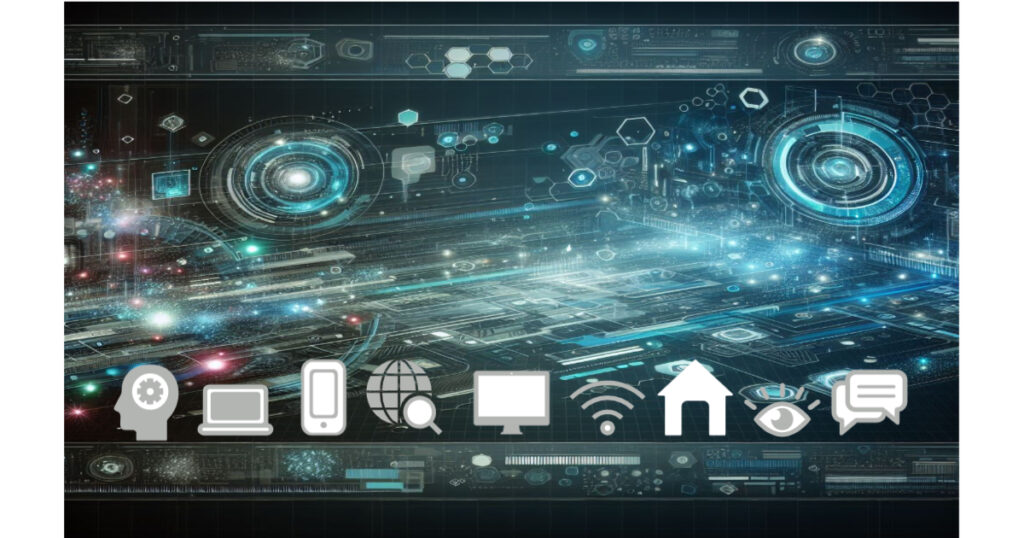
technology background with shapes referencing digital studies, the web and types of devices.
Image by Erin Dutton using Vectr

When thinking about making a header I thought about the fact that my website is a small portion of a whole digital space. I really liked the background of the header because it represents the aspect of technology in space. I wanted to use the shapes again to represent things you would use and see when accessing the web.

Creation Process

I used the website Vectr to create my icon and header. In my opinion, it is not easy to use for beginners. Even referencing videos online, it was difficult navigating the features. I’m not sure if it is because it is the free version, so I don’t have access to better options to use. I utilized the shape and image options on the tool bar. I changed their sizes and moved it around on the background to make the layout appealing. I could not figure out how to change any colors or take the background out for the icon, but that is just more I need to learn!

Image File Types

WordPress does a great job listing the required resolution sizes for site icons and headers. For a website icon the recommended resolution is 512×512 pixels. For a website header the recommended resolution is 2000×1200 pixels. CRO:NYX Digital recommends using JPEG file types when inserting stock images on your website, so I followed their advice. I downloaded the site icon and header as JPEG files before publishing them on the website. WordPress also recommends exporting your image at 72 DPI (pixels per inch) for the best resolution.

Happy Learning!

The Importance of Copyright and Proper Attribution

Copyright

human figure holding copyright symbol.
Image by Peggy und Marco Lachmann-Anke from Pixabay

Copyright acts as protection against others using your literary, artistic, education, or musical work without permission. Posting anything on the internet automatically grants you an “All Rights Reserved” copyright, protecting your idea and creativity. There are exceptions to how people use your work when granted permission. These exceptions can be followed by licensing your work through any Creative Commons license.

Choosing a Copyright License

I chose the CC BY-NC-SA copyright license because I am always open to seeing what others can do to add to my ideas and opinions. The Internet would not contain different perspectives on a single topic if others did not build upon the basis of that topic. I would appreciate credit and for people adding onto that person’s ideas to respect it in the same way. If I were able to profit off of my work, I do not want someone else to take the essence of my work, make it better, and profit even more. Therefore, I do not want someone using my work non-commercially. The CC BY-NC-SA license is perfect for how I would like my work to be protected and shared within the digital world.

Attribution

Using the Work of Others Ethically

student taking notes on paper and scrolling on computer.
Image by StartupStockPhotos from Pixabay

When using someone else’s words, thoughts, or ideas it is always ethical to give them credit where it is due no matter if their work is licensed or not. This means adding captions to pictures you found online even if you just Googled it; there is always a source on Google images. It also means adding a link to the website or citing a source where you found information that you are using for your work. If a person’s work is protected under a copyright license the user of that work should have a full understanding of the fair use policy. Fair use includes limited access to copyright work intended for transformative uses. For detailed information on transformative uses reference Law of Fair Use.

Happy Learning!

css.php