Who is the internet for?

blue background with white writing stating Access to Information and Knowledge.  Open laptop with the screen being on open book.

Openness

Why?

The more open information is on the internet the more you can know. The more people that can access your page the more knowledge you can spread. Regardless of education level, having the ability to see pages on the internet allows everyone to gather information that they wouldn’t have had access to thirty-five years ago. Years ago, it was basically a “requirement” that you had access to a set of encyclopedias. If you didn’t have a set in your home you had to be able to get to a library. References and other information were not available at your fingertips. Having the openness and availability of the internet it makes everything available any time of day and any day of the year.

How?

You are able to make your page more open to everyone by not making payment a requirement. Openness can be as simple as social media. If you follow anyone on any kind of website you, I am sure have seen, everyone’s opinion that they share openly. Creators should think of this as more of a way to improve their content. Sure, there are some that will spread nothing but negativity, but as a whole information that is shared could be used as improvement.

Accessability

Why?

Having accessibility within sites on the internet makes it easier for individuals to access information. Accessibility is not only recommended but, in my opinion, should be mandatory.  Have you ever had to sit through a training or a meeting where they gave out the presentation packet prior doing the presentation?  Then you have to sit through the entire presentation even after you’ve read the packet?  Or sat through a meeting the whole time thinking, this could have been an email?   To me, these things go hand in hand with adaptive reading.  I am a learner that can retain information better if I hear it.  It allows me to take notes and feel like I have a better grasp on what I am learning.  Accessibility on the internet is along those same lines.  It allows people to pick out what they feel is important within your site and be able to process it.  It can be something as simple as a font color or the way something is laid out. 

How?

This could be as simple as design layout.  Is the site easy to understand and navigate through.  Changing font size or colors is a simple way to promote accessibility.  If you have some kind of informative video make sure that there is an option to see the transcript for those who opt to read rather than listen. Choosing to include alternate text is also a simple way for users who might be visually unable to see an image to have it used as a screen reader or if images don’t load properly it tells you what the image was.  The webiste WebAIM shows how alternate text can assist people. You have to make sure that your site is easy to use, understand, and navigate within.

Who Is the Internet For?

A commonly used "Global" Icon with a wifi signal, a "cloud", usually indicating storage. A computer and a phone.

Openness:

Why?

Making open content can allow for collaboration and innovation with an audience. It can also influence others to build upon work that has already been shared in hopes to make it better in whatever way they choose.

How?

There are multiple ways to keep content open. It can come in a form of a social media post, or even a social media video. There are a lot of information out there you can start learning about to enhance your brain on a certain topic.

Accessibility:

Why?

Having content accessible can allow for people, regardless of their abilities, or disabilities to engage and benefit from the information. According to this article from UX Design Insitute. It expresses how it is crucial for “everyone can access the same information and opportunities”

How?

To make contents more accessible to the world, having alt text for images, and captions and transcripts for videos would be very helpful to this process. Hyperlinks are also another form of how you can make content more accessible.

Who is the Internet For?

This photo is of Maya Hawke performing at the 9:30 Club in Washington, D.C.

Openness

Why?

Openness is important because it allows people to learn new things and find quick solutions to their problems.

How?

One way to do this is by publically posting your content online and not requiring people to pay to view it.

Accessibility

Why?

It’s important to make accessible content so all people can view your content. Here is a link to an article about why accessibility is so important on the internet

How?

One way to make content accessible is making sure the text and background are contrasting colors. For example, having a white background and black text.

Who is the Internet for?

Internet Accessibility clip art

Openness

Why?

The open web is the world’s biggest free information and communication resource and is very accessible. The internet is used to do almost any task and is accessible by anyone providing limitless opportunities.

How?

There are limitless ways to share and access information on the internet. Forum pages like Reddit and wiki can narrow down specific categories. Youtube is the internet’s biggest video sharing platform.

Accessibility

Why?

Making accessible content allows everyone, including people with disabilities, to use your website. It also helps your site reach more people and improves its visibility on search engines.

How?

Accessing the internet can be difficult for some, especially those with disabilities, but it’s important for everyone. Clear content, image descriptions, and simple headings help make the web easier to use for everyone on it. Accessibility tips are all over the internet, and it never hurts to learn them.

Who is the Internet For?

Why Accessibility?

Why?

Accessibility is important because it allows everyone to be included. It also keeps one from be sued for excluding others. According to the United Nations Convention on the Rights of Persons with Disabilities (UN CRPD), accessibility is considered a human right. Not to mention, accessibility is beneficial to society, as it allows everyone to be treated as a whole.

How?

The most known accessibility concept is the ‘Curb-Cut Effect’. The curb-cut effect is when a person who is not disabled uses an accessibility feature to their advantage. For example, a person might not know English as their first language and has a hard time understanding a movie. He or she will use the closed-caption feature so that they can better understand the lines in the movie. More information on the curb-cut effect can be found here: Wikipedia.

Open web

Openness of the web

Why Openness?

One might choose to create on the web because it contributes to an open knowledge base. Shared information is important because it can reach audience that might be oblivious otherwise. Another thing open creators do is foster trust and transparency. This in turn causes the audience to be more engaged. One also might choose to collaborate openly on the web because the can connect to a broader audience. This connection can foster new opportunities and partnerships. More information on the importance of the web can be read on What is the Open Web and why is it Important.

Who is the internet for?

Openness

Cartoon image of a man with his brain open to the world.
Line vector icon. Vector EPS 10, HD JPEG 4000 x 4000 px

Why?

Openness on the internet allows the sharing of knowledge and collaboration of many users around the world. This allows someone to access answers and solutions to various problems with a simple search, which would otherwise have cost an exorbitant amount of time or money. In addition, the collaboration of ideas allows a much more efficient progression of research than could be completed separately.

How?

Potential methods of publishing work openly include publishing content on websites such as Wikipedia, Youtube, or GitHub, in addition to the many places where authors and artists publish their work for free for anyone on the internet to view. These open-access websites allow all internet users to access and use the content without paying, creating a more collaborative society.

Accessibility

Six images displaying a wheelchair user, someone reading braille, an enlarged font, a hearing device, someone using sign language, and the closed captions symbol.
Accessibility icon set, Accessibility concept

Why?

Providing accessibility measures when creating content allows the information to be accessed and viewed by all people, regardless of any disabilities or other obstacles they might have to viewing content. In addition to making content available to everyone, such measures can make viewing information easier for people who aren’t included in the target group, such as people with ADHD who might focus easier on a video by utilizing closed captions, although the captions are originally intended to help deaf or hard of hearing people.

How?

Accessibility measures that can be implemented include closed captions on any video content, a transcript for audio or video content, clearly defined headers for text, image descriptions, and labeled links. Although implementing these measures might cost some extra time and work, they create ease of use for all kinds of people trying to access the content. Find more information on how to make online content accessible here: How To Make Your Online Content Accessible

Who is the Internet For?

This image is to show the use of internet on a computer

Openness

Why?

Internet openness is considered to be a spectrum. The work from a creator isn’t necessarily labeled as “fully open” or “fully closed.” An example of internet openness would be a carpenter sharing step by step how to build something but then putting their work up for sale. The internet openness spectrum reflects a balanced approach that allows both public access and personal or commercial control.

How?

How does the internet allow us to make content open/accessible? There are many ways the internet helps us make content such as social media, blogs, and articles. There are many ways to create content. It is important to create content that is open and accessible, here is an article about what is means to provide open and free internet.

Accessibility

Why?

It is important to create content that is accessible to everyone. This way, if someone needs information you created, they can find it and access it easily. This helps create an inclusive, user-friendly, and compliant online environment.

How?

Making the Internet available to everyone may be a bit difficult but is very important. To increase the accessibility of the internet it is important to have very clear content and descriptions. Adding pictures and headings on the internet can be helpful.

Who Is the Internet For?

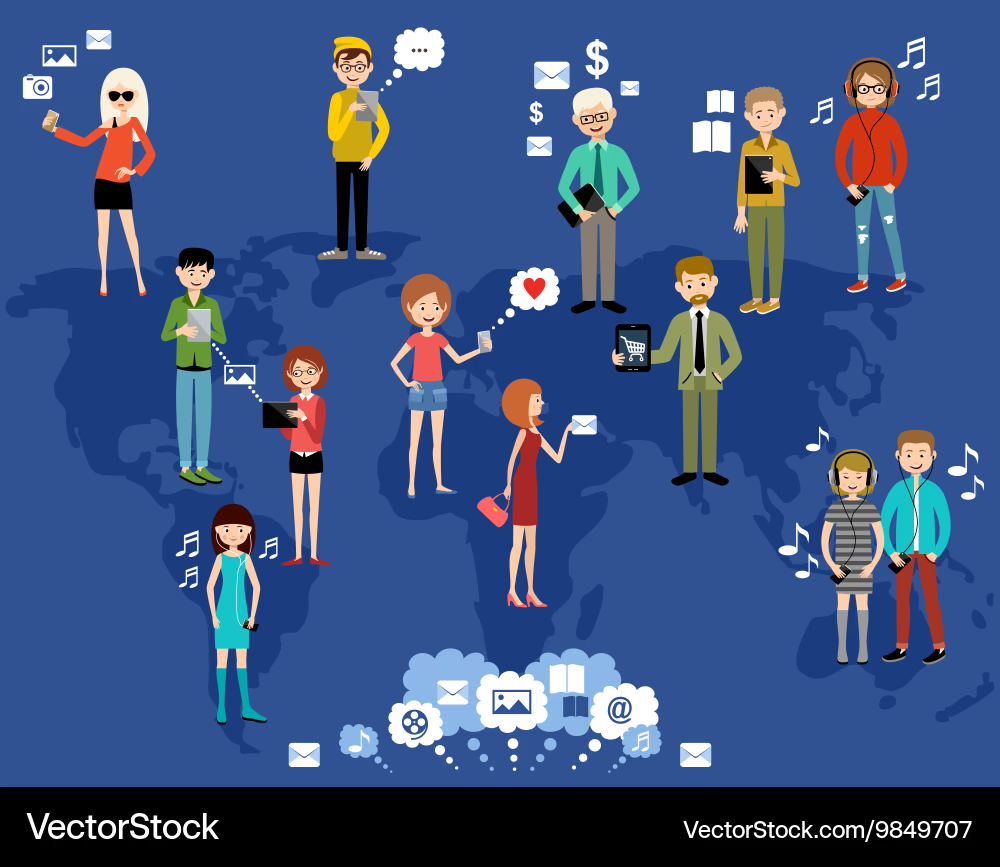
A group of people from all over the world using the internet for different thing.

Openness

Why?

The open web is important because it allows anyone to access what is on the internet. People don’t have to pay to get information from the internet, which allows them to learn and share freely.

How?

There are many ways to openly share content on the internet. Some examples are YouTube, Wikipedia, and blogs. Anyone can post or view contents from these pages. Click this link to watch some Free, Informational YouTube Videos.

Accessibility

Why?

Creating accessible content ensures that everyone is able to view the information you are sharing. Since everyone is able to access the information, it increases the audience that is reached. This not only helps more people, but also could increase your revenue.

How?

Making the internet accessible to everyone adds a little bit more work, but also increases the benefits. Some ways to do this are adding alternative text with a picture, adding descriptive link text when including a weblink, and adding headings to each section.

Who Is the Internet For?

A blank head profile with top of head hinged open expelling a question mark a lightbulb and a magnifying glass. The profiled head is inside a cloud resting on growing plants.

Openness:

Why?

Open content provides means of access to resources from others all within the Web, allowing people to manipulate, change, and control the dynamic of the platform. New and innovative ideas are created through open technologies that give room for collaborative interception from a diverse range of people. This makes information on the web widely spread and is the reason there is so much of it.

How?

The web can be restricted based on the search engine you’re using, but mostly it is open to the public to post, exchange, and delete information. Wikipedia, for example, is a creative common space to collect a large range of data and knowledge from people to have a full review of something or a concept. Open work can be distributed and changed like creating a website or posting a youtube video.

Accessibility:

Why?

An accessible design for content allows for diverse persons to relay information to and from the web. Accessibility should be easy, affordable, and universal so that all can use it if they have an impairment or not. When accessibility is implemented it not only makes retrieval easier for those who may need it but it makes things more clear, concise, and generally usable.

How?

To make content accessible one can rely on a lot of content already out there – most videos now have closed captions or translations, and most online newspapers have links embedded in the text for further contextual information. Princeton gives a checklist on creating digital accessibility which provides more examples of how structure, visuals, and context can determine the availability content is to all people.

Who is the Internet for?

Picture of a hand connecting with a global network of internet connections and information exchange.

Openness

Why?

Openness is the foundation of the Internet. Its non-proprietary open standards enable anyone to create new services without permission, leading to innovative, accessible websites. This allows anyone with access to share ideas and collaborate in real time.

How?

The Internet was built using open standards, which enable anyone to develop a new service for public use. Users can utilize YouTube to post instructional videos, GitHub to collaborate on code, or one of the many programs to meet and socialize with new people.

Accessibility

Why?

Accessibility is an important component of website design, enabling users to access content on the website that would otherwise be inaccessible. Most websites are required to be ADA-compliant, and legally responsible for including all the required accessibility features. Although it could take a little more time to design an accessible website, it often enhances the user experience for all users. The US Department of Justice provides guidance on website ADA requirements.

How?

Websites can be made accessible by using high-contrast text and headers, and by adding features including alternative text, descriptive links, and captions. These features enable screen readers to navigate the text and function effectively, improving usability for all users.

css.php