For my final project I decided to build out my main domain. My main domain was designed to act as a portfolio or resume site. Since I am a political science major I decided to fill the site with my research papers, such as those covering political philosophy and Middle Eastern politics. I also added some of the podcasts I have created, such as the one for the DGST 101 course and my drug politics course. I have also included the video essay project from the DGST 101 course.
Developing the Site:
In developing the site, I utilized the skills I learned to use WordPress to create the site, using the Signify theme. The biggest help I received was attending a workshop from the Mary Washington Digital Knowledge Center (DKC). I used the basic format they showed us how to develop and modified it to suit my needs. In addition, I needed to ensure that the site was accessible, so as I did on this site I incorporated headings and subheadings. I also used alt text on the few images used on the website. The only media uploaded on the site is that which I created and all credit for content such as music was credited. Images created using AI were credited as such. I did use Microsoft CoPilot to create the site favicon. In my essays and podcasts/video sources are credited to ensure information accuracy. I chose to make the site “all rights reserved” as that is the same copyright license I used for this site. I also do not want my work shared or posted without my permission as it contains political content.
I would like to build out my main domain with projects I have worked on. I want to include projects from this DGST course, like the video and podcast projects. I also have podcast projects from my drug politics course that are much longer. Furthermore, I would also like to share some of the research papers I have written, particularly the ones from this semester’s politics of the Middle East and North Africa course regarding sports washing in Saudi Arabia and the Gulf nation’s responses to the Arab Spring. I envision the built out site retaining much of the same design that my current one has but with better organization for things like blog posts, podcasts, and research essays.
Obviously obesity is a major health risk and is increasingly a talking point in the medical and public health fields. However, visually displaying the data can make the problem more easily understood. I chose to display the data in a map, where higher rates obesity are represented by darker coloration within the corresponding states borders. When displayed like this on a map of the United States, it jumps out to viewers that the Southern United States is far more obese than other regions. Particularly, the Gulf states of Alabama, Mississippi, and Louisiana are the most obese in the nation. The data was compiled by Lake County, Illinois but was found on Data.gov. The information primer on obesity was courtesy of the World Health Organization.
How I did it?
I chose to create a map, with higher rates of obesity being colored darker on the map. I feel that this represents the story I was trying to tell, which was that Southern states have a higher rate of obesity, better than a simple bar graph. Although, I did include the bar graph, which was made with Microsoft Excel, within the PowerPoint presentation to give viewers further numerical information. The map of the US was made via Flourish, a data visualization software. I wanted to make a short PowerPoint presentation because it would convey a short primer of what obesity is, with a short analysis of the map and bar graph. I chose to use PowerPoint because I am familiar with the software and it allowed me to create a simple presentation to convey the story using the data I found. I ran into a challenge embedding a PowerPoint presentation, but managed to get into embedded by downloading a plugin EmbedPress, which allowed me to upload a document to my blog post.
Multiple mediums can be used to tell a story, such as film or text. However, numbers can provide a quantifiable story in their own right. Datasets can be used to identify trends that emerge in various topics, that a more qualitative method if inquiry could ignore. One such case is that of the rate of obesity in the United States. While obesity is a national problem and the rate is ever increasing, one region in particular seems to be hit exceptionally hard by this health problem. The data shows that southern states rank especially high in regards to their obesity rate. In fact, nine out of the top ten most obese states are located in the southern United States. The only exception is Kansas, which is firmly outside the southern United States according to the geography of Britannica. From looking at the data the other regions of the United States seem to be more varied in their obesity rates depending on the individual state. No other single region is as heavily represented as the Deep South. This implies that there is something within the socioeconomic or cultural factors in the southern states that leads to a higher rate of obesity than in other regions of the country.
Methodology
The data on obesity rates intrigued me as exercising and fitness are hobbies of mine, and I was able to source the relevant data from the local government of Lake County, Illinois via Data.GOV. I used Microsoft Excel in order to build the data out into a pivot chart, fortunately the data was looking at the obesity rate from a state level and there was not a lot that needed to be cleaned up for the purposes of this examination. I sorted the data by the sum of obesity in a descending order. I then noticed that many of the highest rates were in the southern United States. The chart posted above, helps to show the severity of the Deep South’s obesity rate by illustrating the rate being well over 30% in some of those states. Excel made it easy to load a dataset into a table and then turn said table into a chart.
This video discusses how low attention span can cause you to make errors in your work/studies. It then discusses some tips and tricks you can use to increase your attention span and your concentration. Some of the tips discussed are reading long form content such as a book, and increasing the amount of exercise you get in an effort to improve blood circulation. At the end, some bonus tips such as mindfulness are thrown at the viewer to encourage them to do additional research on tips they might find helpful. Sources used for this video include CBS News, George Washington University, and Kansas State.
Credits/Attribution
Music for this video is Moonlight Drive by Yunior Arronte downloaded via bensound. Stock internet footage was used royalty and copyright free and was “Frustrated Teenager” recorded by Tima Miroschnichenko downloaded via pexels.
Behind the Scenes
This video was an attempt to adapt my similarly titled podcast about shrinking attention spans. I used my iPhone to record the video using a tripod and microphone checked out from the HCC front desk. Using a tripod was helpful as I was able to set up a stable video at any point and at differing heights. The microphone provided much better quality audio and reduced instances of background noise versus the iPhone’s built in microphone. Since I recorded the footage on an iPhone, and was going to edit on my Mac laptop, it made sense to stay in the Apple ecosystem and edit using iMovie. I uploaded my video as an unlisted video on Youtube, as I already had a YouTube account and knew how to upload to the platform.
Then a video is worth a million.” The next step beyond podcasting for my topic regarding attention span is to transition the information into a video format. I plan to shoot a short video conveying the same information that was discussed in my podcast in the style of a YouTube video essay. A video essay format will allow me to incorporate the information from the podcast, with visual representations of the tips for increasing concentration. I plan on shooting live action shots of myself acting out the tips, such as reading or walking outdoors. While the shot of the spider will be comprised of stock, royalty free footage, as I don’t want to get that close to a spider. I will also use stock footage of meditation to give the audience a break from just seeing me over and over.
Shot List
Tools of the Trade
I will shoot this video project using my iPhone 14, as I think it has a great camera and I am very familiar with the controls. I also need to justify having such a nice camera on a phone. However, I will need a tripod from the HCC help desk, and will use a microphone as well, this is to ensure I get a higher quality recording. For editing software, I will use iMovie, as this software will probably work the best since I am shooting via an apple device.
Test Recording
Test recording done on campus, at the approximate time final recording will take place at.
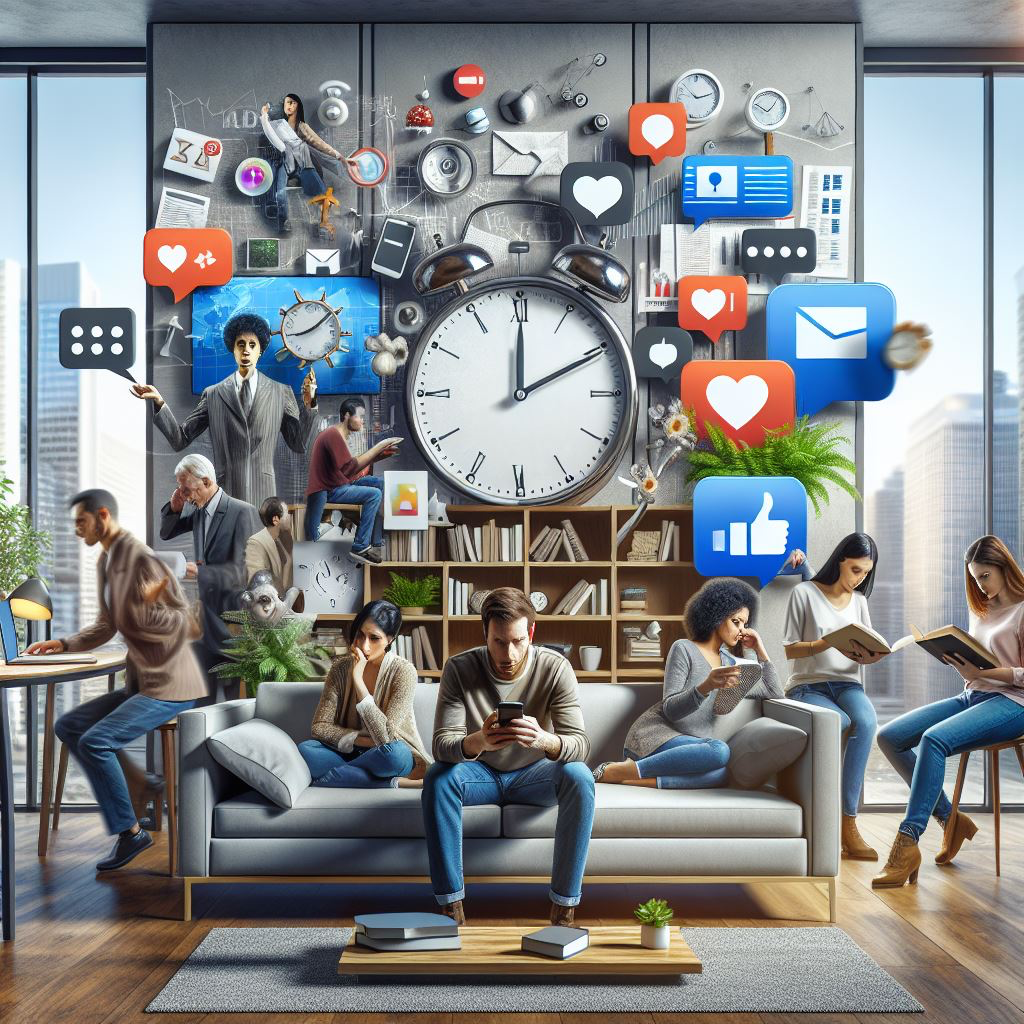
Hello everyone and welcome to Christian speaks to you. On this podcast, we’re going be going over, decreasing attention spans and sharing some helpful tips that you can help Implement in your own life to hopefully improve your concentration. So a little of background on the topic, technology, particularly social media, texting, smartphones and other forms of short form content can give a greater number of distractions. Not allowing to focus on a singular thing at one time. And this is a very big issue because it takes longer for to do things like, completing assignments, and other tasks, and you have an increase of stress level, when focused on multiple different things and you have the tendency to make more errors, if you’re working on multiple things and not focused. So, your first tip to help increase your attention span. This comes from George Washington University, is reading. Reading a book, can help increase your attention span. It helps to train the mind to concentrate on the task. That being reading the words that on page, a tip is when starting out is to mute phone or your computer, depending on how you read or maybe even your tablet, this avoids distractions, like notification dings and other things like that, and try to focus reading for 20 to 30 minutes straight without losing concentration. Another helpful tip you can Implement is to do what’s called the spider technique. This is essentially just training yourself to ignore different notifications every time they ding just train yourself to not look and eventually it’ll become second nature to ignore those kind of things while you’re focusing on something. Another thing you could do is constantly repeat the phrase be here now, to remind yourself to focus on what you’re doing in moment and not worrying about something else. So the final tip of this podcast is going be to tell you to out and some exercise. It’s good for your physical health. It’s good for your mental health, but can also help to improve your brain function, by ensuring that the blood circulates properly. I recommend walking outside, you get some of the fresh air, you get some of the sights and you get some of the sounds, it’s very relaxing. It’s helpful. And it’s much more enjoyable than walking inside. Thanks for listening. I hope these tips were helpful.
Behind the Scenes
Creating this podcast was a fun experience, and getting to play around with different recording and editing tools was very fun as well. To create this podcast I recorded the main monologue with a Sennheiser headset’s built in microphone. To record the book page turning sound effects and the walking over leaves sound, I utilized my iPhone and the voice memos app to record close to the subject. My MacBook was utilized to edit the audio using Sountrap and to export it. The only part of this podcast that was assisted by A.I. was that of the image posted above, as I am better at speaking than drawing.
Disinformation and the weaponization of the internet.
Being a political science major, naturally I had to look at the impact disinformation has on politics and security. Normally, most people’s common interaction with falsities on the internet comes in the form of pranks or trolling. However, disinformation can be significantly more harmful to people than putting glue in your pizza (at least the Google AI specified non-toxic). Countries opposed to the United States and non state actors can use social media and other websites to attempt to influence US politics. This was evident in the 2016 Presidential election, when Russia used Facebook, Twitter and other platforms to circulate false information regarding election integrity. Bots and troll farms post hundreds of false, inflammatory, or controversial statements with the intent of sowing division in the United States and increasing political polarization. For further information, Stanford University published a guide to disinformation and how to spot it.
How A.I. impacts disinformation.
A.I. as a tool of propaganda.
A.I. essentially multiplies the amount of disinformation and misinformation that can be spread. Hostile actors intentionally spreading disinformation is not new, but 20 years ago you had to have a human sitting behind a computer thinking of and writing fake news stories, articles, posts, etc. But, with the advent and increasingly rapid availability of A.I. software, that person behind the computer simply has to enter in a prompt and A.I. will take it from there. More recently, the use of A.I. to falsify pictures or videos can greatly increase the speed at which these are developed and circulated. Using A.I. does not require a camera crew and video editors to produce a false video. It can also create very realistic deepfakes of people, and have that person say false, or inflammatory statements. Stanford once again has excellent information regarding the use of A.I. for the purposes of spreading propaganda.
Using Copilot
My interaction with Copilot A.I.
You
Sent by you:
Generate me a title for blogpost about "what is real on the internet?"

Copilot
Sent by Copilot:
Sure! Here are a few title ideas for your blog post:
“Unmasking the Web: Deciphering What’s Real on the Internet”
“Truth vs. Fiction: Navigating Reality in the Digital Age”
“The Internet’s Illusions: How to Spot Real from Fake”
“Digital Deception: Understanding Authenticity Online”
“Fact or Fabrication? A Guide to Internet Realities”
Do any of these resonate with you?

You
Sent by you:
Can you provide more options?

Copilot
Sent by Copilot:
Absolutely! Here are some additional title ideas for your blog post:
“Internet Realities: Separating Fact from Fiction Online”
“Behind the Screen: What’s Real on the Internet?”
“Virtual Veracity: Identifying Truth in the Digital World”
“The Reality Check: Unveiling Truths on the Web”
“Navigating the Web: How to Discern Real from Fake”
“Digital Truths: What’s Authentic on the Internet?”
“The Internet’s Mirage: Finding Authenticity in a Sea of Information”
**"Fact-Checking the Web: A Guide to Online Authenticity
Why I chose my title.
I chose my title because I liked the imagery evoked by “unmasking the web”. To me, this felt like a good title as I highlight throughout my blogpost some ways countries can use the web and A.I. as a weapon for political gain. I’d like to imagine that by exposing these harmful disinformation actors it has almost as much effect as unmasking a villain in Scooby Doo does. I believe this title falls a little bit to the right on the truth spectrum. I believe it is an exaggerated title, dramatizing what is honestly a basic informative post into what someone would think would be a much more in depth look into disinformation. However, I believe the title does not mislead the audience, but more so increases engagement.
Openness on the internet or the web refers to the ability that anyone with access to the internet has to post or create something and share that with others. To read more in depth about internet accessibility check out The Internet Policy Review.
Why?
Making open content allows your creation or whatever it is you decide to post reach the largest amount of viewers. This can seriously inspire other people working on their own passion projects or simply help someone fix a common household problem.
How?
Making open content and sharing it on the web can be as simple as making a public twitter post or uploading a tutorial video on Youtube. However, you can also use openly available content to make a profit, such as by running advertisements or sponsorships on your video.
Accessibility
Accessibility is ensuring that the content you create or share publicly is available and usable by the most amount of people possibly.
Why?
Ensuring content is accessible to the most people possible is important from a moral but also a more pragmatic side. First of all, content should be accessible because it is the right thing to do, providing informative or other forms of content should not be restricted based on any kind of disability. Secondly, many countries, such as the United States and Europe, require content to be accessible to at least a certain standard mandated by law. Failing to follow these guidelines can result in legal action. But, making your content accessible shows that you took the time and effort to go through the steps to ensure accessibility resulting in a gain of goodwill from the public.
How?
Tools to ensure accessibility can include things like the use of headings to accommodate those using screen readers or by including alternative text on image. For further visual mediums, like videos or games, the use of subtitles or the inclusion of a color blind picture mode can greatly increasing accessibility to those programs or services. These features are also very useful to people who do not necessarily need them, but find them helpful regardless.
Christian is currently a senior political science major at the University of Mary Washington. He is originally from South Florida and has lived in Virginia for five years. On Saturdays you can usually find him rooting for the Florida Gators football team, despite the past few seasons.